Playback starts YouTube’s embedded player (privacy-enhanced mode).
How To Run A Disk Check In Windows 10 Using The Command Prompt
ChannelMDTechVideosDescription from the creator
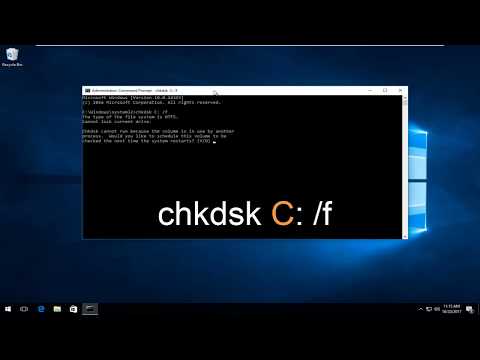
How to run a Disk Check (chkdsk) using the Command Prompt in your Windows 10 computer.
You should periodically use the Check Disk tool to check the integrity of disks. Check Disk examines disks and can correct many types of common errors on FAT16, FAT32, and NTFS drives. One of the ways Check Disk locates errors is by comparing the vol¬ume bitmap with the disk sectors assigned to files in the file system. Check Disk can’t repair corrupted data within files that appear to be structurally intact, however. You can run Check Disk from the command line or through a graphical interface.
Running Check Disk from the Command Line
You can run Check Disk from an elevated command prompt or within other tools. At the elevated command prompt, you can test the integrity of drive C by typing the following command:
chkdsk C:
Check Disk then performs an analysis of the disk and returns a status message regarding any problems it encounters.Unless you specify further options, Check Disk won’t repair problems, however.To find and repair errors on drive C, use this command:
chkdsk /f C:
When you use this command, Check Disk performs an analysis of the disk and then repairs any errors it finds, provided that the disk isn’t in use. If the disk is in use, Check Disk displays a prompt that asks whether you want to schedule the disk to be checked the next time you restart the system. Click Yes to schedule this check.
This tutorial will apply for computers, laptops, desktops, and tablets running the Windows 10 operating system (Home, Professional, Enterprise, Education) from all supported hardware manufactures, like Dell, HP, Acer, Asus, Toshiba, Lenovo, and Samsung.
You should periodically use the Check Disk tool to check the integrity of disks. Check Disk examines disks and can correct many types of common errors on FAT16, FAT32, and NTFS drives. One of the ways Check Disk locates errors is by comparing the vol¬ume bitmap with the disk sectors assigned to files in the file system. Check Disk can’t repair corrupted data within files that appear to be structurally intact, however. You can run Check Disk from the command line or through a graphical interface.
Running Check Disk from the Command Line
You can run Check Disk from an elevated command prompt or within other tools. At the elevated command prompt, you can test the integrity of drive C by typing the following command:
chkdsk C:
Check Disk then performs an analysis of the disk and returns a status message regarding any problems it encounters.Unless you specify further options, Check Disk won’t repair problems, however.To find and repair errors on drive C, use this command:
chkdsk /f C:
When you use this command, Check Disk performs an analysis of the disk and then repairs any errors it finds, provided that the disk isn’t in use. If the disk is in use, Check Disk displays a prompt that asks whether you want to schedule the disk to be checked the next time you restart the system. Click Yes to schedule this check.
This tutorial will apply for computers, laptops, desktops, and tablets running the Windows 10 operating system (Home, Professional, Enterprise, Education) from all supported hardware manufactures, like Dell, HP, Acer, Asus, Toshiba, Lenovo, and Samsung.
About this tutorial
MDTechVideos published this 3:19 video tutorial on October 26, 2017. It has been watched 891,195 times on YouTube.
- Channel
- MDTechVideos
- Category
- Science & Technology
- Duration
- 3:19
- Published
- October 26, 2017
- Views
- 891,195
- Likes
- 4,559
Tags
Share
This tutorial in other languages
- FRComment faire pour exécuter un disque Vérifiez Dans Windows 10 Utilisation de l'invite de commande
- ESCómo ejecutar un disco La hora de llegada de Windows 10 Uso del Símbolo del sistema
- PTComo executar um disco de Check-in Windows 10 usando o comando Prompt
- ITCome eseguire un controllo del disco in Windows 10 utilizzando il comando Prompt
- DEHow To Run A Check Disk in Windows 10 über die Eingabeaufforderung
- NLHow To Run A Disk controleren in Windows 10 Het gebruik van de Command Prompt
- RUКак запустить диск Проверка в Windows 10 с помощью командной строки
- PLJak uruchomić dysk Sprawdź w systemie Windows 10 Korzystanie Prompt Command
- JAするために実行Aディスクは、コマンドプロンプトを使用したWindows 10のチェックイン方法
- ARكيفية تشغيل القرص تحقق في ويندوز 10 باستخدام موجه الأوامر
- HIकैसे चलाएँ एक डिस्क Windows 10 चेक इन कमांड प्रॉम्प्ट का उपयोग करना
- IDCara Jalankan A Disk Check In Windows 10 Menggunakan Command Prompt