Playback starts YouTube’s embedded player (privacy-enhanced mode).
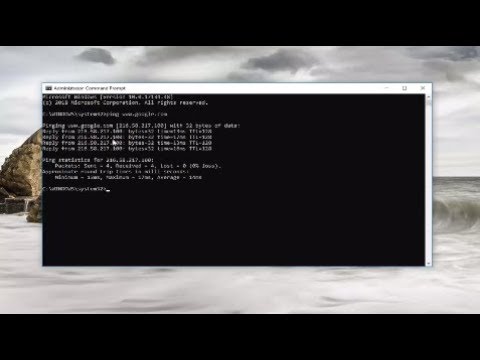
How To Check Ping In Windows 10/8/7 Command Prompt
ChannelMDTechVideosDescription from the creator
How To Check Ping In Windows 10/8/7 Command Prompt.
The ping command sends packets of data to a specific IP address on a network, and then lets you know how long it took to transmit that data and get a response. It’s a handy tool that you can use to quickly test various points of your network. Here’s how to use it.
Ping comes from a term used in sonar technology that sends out pulses of sound, and then listens for the echo to return. On a computer network, a ping tool is built into most operating systems that works in much the same way. You issue the ping command along with a specific URL or IP address. Your computer sends several packets of information out to that device, and then waits for a response. When it gets the response, the ping tool shows you how long each packet took to make the round trip—or tells you there was no reply.
It sounds simple, and it is. But you can use it to good effect. You can test whether your computer can reach another device—like your router—on your local network, or whether it can reach a device on the Internet. This can help you determine if a network problem is somewhere on your local network, or somewhere beyond. The time it takes packets to return to you can help you identify a slow connection, or if you’re experiencing packet loss.
And it pretty much doesn’t matter what operating system you’re using. Pull up a terminal or Command Prompt window, and you can use ping on macOS, Linux, or any version of Windows.
This tutorial will apply for computers, laptops, desktops,and tablets running the Windows 10, Windows 8/8.1, Windows 7 operating systems.Works for all major computer manufactures (Dell, HP, Acer, Asus, Toshiba, Lenovo, Samsung).
The ping command sends packets of data to a specific IP address on a network, and then lets you know how long it took to transmit that data and get a response. It’s a handy tool that you can use to quickly test various points of your network. Here’s how to use it.
Ping comes from a term used in sonar technology that sends out pulses of sound, and then listens for the echo to return. On a computer network, a ping tool is built into most operating systems that works in much the same way. You issue the ping command along with a specific URL or IP address. Your computer sends several packets of information out to that device, and then waits for a response. When it gets the response, the ping tool shows you how long each packet took to make the round trip—or tells you there was no reply.
It sounds simple, and it is. But you can use it to good effect. You can test whether your computer can reach another device—like your router—on your local network, or whether it can reach a device on the Internet. This can help you determine if a network problem is somewhere on your local network, or somewhere beyond. The time it takes packets to return to you can help you identify a slow connection, or if you’re experiencing packet loss.
And it pretty much doesn’t matter what operating system you’re using. Pull up a terminal or Command Prompt window, and you can use ping on macOS, Linux, or any version of Windows.
This tutorial will apply for computers, laptops, desktops,and tablets running the Windows 10, Windows 8/8.1, Windows 7 operating systems.Works for all major computer manufactures (Dell, HP, Acer, Asus, Toshiba, Lenovo, Samsung).
About this tutorial
MDTechVideos published this 3:14 video tutorial on October 29, 2018. It has been watched 379,089 times on YouTube.
- Channel
- MDTechVideos
- Category
- Science & Technology
- Duration
- 3:14
- Published
- October 29, 2018
- Views
- 379,089
- Likes
- 1,645
Tags
Share
This tutorial in other languages
- FRComment faire pour vérifier Ping Dans Windows 10/8/7 Invite de commande
- ESCómo comprobar 10/8/7 comando ping En Windows Prompt
- PTComo verificar Ping No Windows 10/8/7 Command Prompt
- ITCome controllare Ping In Windows 10/8/7 Prompt dei comandi
- DEWie kann man prüfen Ping In Windows 10/8/7 Eingabeaufforderung
- NLHoe om te controleren Ping in Windows 10/8/7 Command Prompt
- RUКак проверить Ping В системе Windows 10/8/7 командной строки
- PLJak sprawdzić Prompt 10/8/7 Polecenie Ping W systemie Windows
- JAPingの中のWindows 10/8/7コマンドプロンプトをチェックする方法
- ARكيفية التحقق بينغ في Windows 10/8/7 موجه الأوامر
- HIकैसे पिंग में विंडोज 10/8/7 कमांड प्रॉम्प्ट चेक करने के लिए
- IDBagaimana Untuk Periksa Ping Pada Windows 10/8/7 Command Prompt