Playback starts YouTube’s embedded player (privacy-enhanced mode).
How to Use a Social Bookmarking Site
ChannelHowcastDescription from the creator
Full Playlist: youtube.com/playlist?list=PLLALQuK1NDrgIoIXO0HQ…
-
-
Watch more How to Use Social Media videos: howcast.com/videos/406965-How-to-Use-a-Social-B…
Step 1: Choose a social bookmarking service
Choose a social bookmarking service, such as Delicious.com or Digg.com, and register as a new user.
Step 2: Enter a keyword into the site's search engine
Enter a keyword into the social bookmarking site's search engine to generate a sample list of social bookmarks from other users.
Tip
Take time to explore other users' bookmarks to get an overview of how the site's bookmarking community works.
Step 3: Learn about tags
Use tags -- keyword descriptions that a user assigns to a bookmark.
Step 4: Add bookmarklet buttons to your browser's toolbar
Add bookmarklet buttons to your browser's toolbar. Most bookmarking services offer these as one-click tagging tools to use while web surfing.
Tip
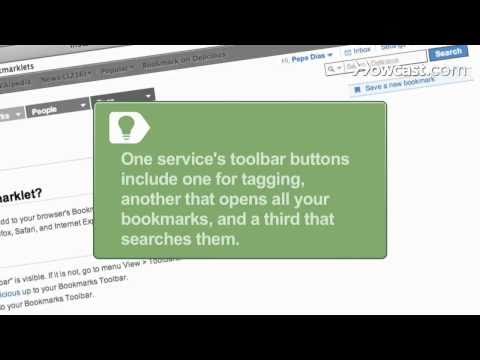
One service's toolbar buttons include one for tagging, another that opens all your bookmarks, and a third that searches them.
Step 5: Bookmark a web page
Find a web page to recommend. Click the bookmarklet button on your browser toolbar, opening a tag window. Then enter keyword tags and click Save.
Step 6: Participate in the social bookmarking site
Participate in the social bookmarking site, using it as an depository for online information and a way to make online friendships.
Did You Know?
In 2008, Forbes magazine declared 23-year-old Mark Zuckerberg, founder of Facebook, the world's youngest self-made billionaire.
-
-
Watch more How to Use Social Media videos: howcast.com/videos/406965-How-to-Use-a-Social-B…
Step 1: Choose a social bookmarking service
Choose a social bookmarking service, such as Delicious.com or Digg.com, and register as a new user.
Step 2: Enter a keyword into the site's search engine
Enter a keyword into the social bookmarking site's search engine to generate a sample list of social bookmarks from other users.
Tip
Take time to explore other users' bookmarks to get an overview of how the site's bookmarking community works.
Step 3: Learn about tags
Use tags -- keyword descriptions that a user assigns to a bookmark.
Step 4: Add bookmarklet buttons to your browser's toolbar
Add bookmarklet buttons to your browser's toolbar. Most bookmarking services offer these as one-click tagging tools to use while web surfing.
Tip
One service's toolbar buttons include one for tagging, another that opens all your bookmarks, and a third that searches them.
Step 5: Bookmark a web page
Find a web page to recommend. Click the bookmarklet button on your browser toolbar, opening a tag window. Then enter keyword tags and click Save.
Step 6: Participate in the social bookmarking site
Participate in the social bookmarking site, using it as an depository for online information and a way to make online friendships.
Did You Know?
In 2008, Forbes magazine declared 23-year-old Mark Zuckerberg, founder of Facebook, the world's youngest self-made billionaire.
About this tutorial
Howcast published this 1:33 video tutorial on November 8, 2010. It has been watched 4,601 times on YouTube.
- Channel
- Howcast
- Category
- Science & Technology
- Duration
- 1:33
- Published
- November 8, 2010
- Views
- 4,601
- Likes
- 22
Tags
Share
This tutorial in other languages
- FRComment utiliser un site Social Bookmarking
- ESCómo utilizar un sitio de marcadores sociales
- PTComo usar um Bookmarking Social Site
- ITCome utilizzare un Bookmarking sociale
- DEWie eine Social Bookmarking-Site verwenden
- NLHoe maak je een Social bookmarking site gebruiken
- RUКак использовать социальные закладки на сайт
- PLJak korzystać z Social Bookmarking Site
- JAソーシャルブックマークサイトの使い方
- ARكيفية استخدام ارتباطك الموقع الاجتماعي
- HIकैसे एक सामाजिक बुकमार्किंग साइट का उपयोग करने के लिए
- IDCara Gunakan Bookmarking Site Social