Playback starts YouTube’s embedded player (privacy-enhanced mode).
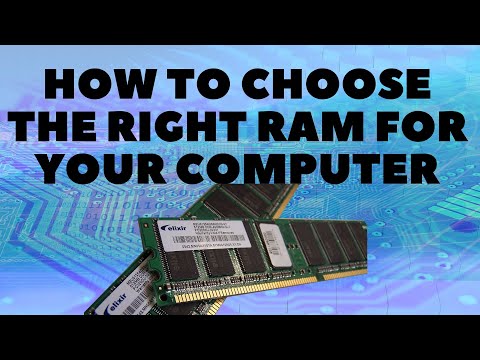
How to Choose the Right RAM for Your Computer
ChannelBritec09Description from the creator
How to Choose the Right RAM for Your Computer
►►►SUBSCRIBE for more: youtube.com/user/Britec09?sub_confirmation=1
What RAM is Compatible with my Motherboard? So you are building a new computer and don't know what type of PC memory (RAM) to get? Just follow the step by step guide in the video and then check the list below.
1. Check RAM Compatibility (Asrock, MSI, Asus, Gigabyte)
2. How Much RAM Do You Need? Gaming? then 16GB is plenty but you could get away with 8GB for most games. 32GB for video editing is a good starting point but you can video edit with 16GB
3. What Type of RAM Do You Need? DDR, DDR2, DDR3 or DDR4 Most people nowadays use DDR3 or DDR4 and maybe DDR2 is getting a little long in the tooth nowadays. But there will people be people using DDR2.
4. What RAM Speed Do You Need? (Example: 3200Mhz, 3600Mhz)
5. Check RAM dimensions to make sure it fits with CPU heatsink
✅ Britec Merchandise teespring.com/en-GB/stores/britec-store
——————— My Social Links:
🔵 View My Channel - youtube.com/Britec09
🔵 View My Playlists -youtube.com/user/Britec09/playlists
🔵 Follow on Twitter - twitter.com/Britec09
🔵 Follow on Facebook: facebook.com/BritecComputers
🔵 View my Website: BritecComputers.co.uk
🔵 My Official Email: [email protected]
🔵 My Discord: discord.gg/YAuGm5j
#Memory #Ram #Hardware #ComputerParts #ComputerHardware
►►►SUBSCRIBE for more: youtube.com/user/Britec09?sub_confirmation=1
What RAM is Compatible with my Motherboard? So you are building a new computer and don't know what type of PC memory (RAM) to get? Just follow the step by step guide in the video and then check the list below.
1. Check RAM Compatibility (Asrock, MSI, Asus, Gigabyte)
2. How Much RAM Do You Need? Gaming? then 16GB is plenty but you could get away with 8GB for most games. 32GB for video editing is a good starting point but you can video edit with 16GB
3. What Type of RAM Do You Need? DDR, DDR2, DDR3 or DDR4 Most people nowadays use DDR3 or DDR4 and maybe DDR2 is getting a little long in the tooth nowadays. But there will people be people using DDR2.
4. What RAM Speed Do You Need? (Example: 3200Mhz, 3600Mhz)
5. Check RAM dimensions to make sure it fits with CPU heatsink
✅ Britec Merchandise teespring.com/en-GB/stores/britec-store
——————— My Social Links:
🔵 View My Channel - youtube.com/Britec09
🔵 View My Playlists -youtube.com/user/Britec09/playlists
🔵 Follow on Twitter - twitter.com/Britec09
🔵 Follow on Facebook: facebook.com/BritecComputers
🔵 View my Website: BritecComputers.co.uk
🔵 My Official Email: [email protected]
🔵 My Discord: discord.gg/YAuGm5j
#Memory #Ram #Hardware #ComputerParts #ComputerHardware
About this tutorial
Britec09 published this 15:32 video tutorial on January 10, 2020. It has been watched 22,705 times on YouTube.
Tags
Share
This tutorial in other languages
- FRComment choisir la RAM de votre ordinateur pour droit
- ESCómo elegir la RAM adecuada para su ordenador
- PTComo escolher a RAM certa para o seu computador
- ITCome scegliere la RAM a destra per il computer
- DEWie Sie den richtigen RAM für Ihren Computer wählen
- NLHoe kiest u de juiste RAM voor uw computer
- RUКак правильно выбрать оперативную память для компьютера
- PLJak wybrać odpowiedni RAM dla komputera
- JAお使いのコンピュータのための右のRAMを選択する方法
- ARكيفية اختيار RAM حق لجهاز الكمبيوتر الخاص بك
- HIकैसे अपने कंप्यूटर के लिए सही रैम चुनें करने के लिए
- IDCara Pilih RAM yang Tepat untuk Komputer Anda