Playback starts YouTube’s embedded player (privacy-enhanced mode).
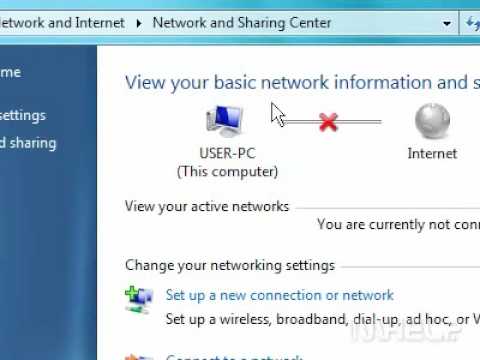
How to enable your network connection in Windows 7
ChannelMHELP2UIn brief
You’ll quickly re-enable a disabled network connection in Windows 7 using just eight simple clicks. This is perfect for troubleshooting when your internet or local network stops working unexpectedly.
Questions & answers
Will this work for both wired and wireless connections?
Yes, the steps apply to any disabled network adapter in Windows 7.
Description from the creator
This Mhelp clip will show you how to enable your network connection in Windows 7.
This Mhelp clip has eight steps.
1 - Click the Windows 7 Start button. A menu will appear.
2 - Click Control Panel. A window will appear.
3 - Click Network and Internet.
4 - Under Network and Sharing Center, click View network status and tasks.
5 - Click Change adapter settings.
6 - Click the disabled network adapter that you want to work with.
7 - Click Enable this network device.
8 - Close the Network Connections window when finished.
This concludes the Mhelp clip.
This Mhelp clip has eight steps.
1 - Click the Windows 7 Start button. A menu will appear.
2 - Click Control Panel. A window will appear.
3 - Click Network and Internet.
4 - Under Network and Sharing Center, click View network status and tasks.
5 - Click Change adapter settings.
6 - Click the disabled network adapter that you want to work with.
7 - Click Enable this network device.
8 - Close the Network Connections window when finished.
This concludes the Mhelp clip.
About this tutorial
MHELP2U published this 0:58 video tutorial on November 2, 2009. It has been watched 12,557,786 times on YouTube.
Tags
Share
This tutorial in other languages
- FRComment activer votre connexion réseau dans Windows 7
- ES¿Cómo permitir la conexión de red en Windows 7
- PTComo ativar a conexão de rede no Windows 7
- ITCome abilitare la connessione di rete in Windows 7
- DEWie Sie Ihre Netzwerkverbindung in Windows aktivieren 7
- NLHoe kunt u uw netwerkverbinding inschakelen in Windows 7
- RUКак включить подключение к сети в ОС Windows 7
- PLJak włączyć połączenie sieciowe w Windows 7
- JAWindowsでネットワーク接続を有効にする方法7
- ARكيفية تمكين اتصال الشبكة في ويندوز 7
- HIकैसे Windows में अपने नेटवर्क कनेक्शन सक्षम करने के लिए 7
- IDCara mengaktifkan koneksi jaringan Anda di Windows 7