Playback starts YouTube’s embedded player (privacy-enhanced mode).
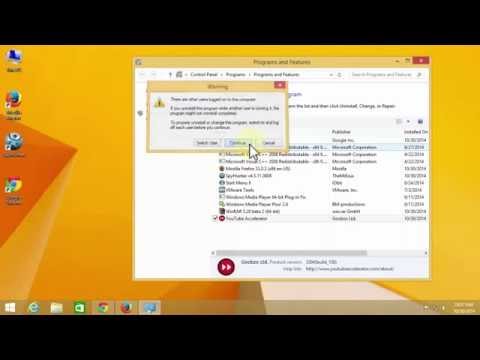
How to remove YouTube Accelerator from your computer - Tutorial
ChannelTutorials4viewDescription from the creator
This is a tutorial about how to completely remove Youtube Accelerator and his service off your computer.
More about Youtube Accelerator:
Youtube Accelerator is a great example of how easily you can get tricked into downloading hardly useful programs on your computer. Of course, the first impression about it can be deceiving. Although this program promises lots of various features, it seems it's just another program that can be categorized as potentially unwanted (PUP). When added to one's system, this ad-supported plug-in may start showing its irritating and annoying pop-ups. In addition, as soon as Youtube Accelerator hijacks each of web browsers, it may start collecting information about a person and record such details as his/hers browsing habits, search terms, mostly visited websites and similar data.
More about Youtube Accelerator:
Youtube Accelerator is a great example of how easily you can get tricked into downloading hardly useful programs on your computer. Of course, the first impression about it can be deceiving. Although this program promises lots of various features, it seems it's just another program that can be categorized as potentially unwanted (PUP). When added to one's system, this ad-supported plug-in may start showing its irritating and annoying pop-ups. In addition, as soon as Youtube Accelerator hijacks each of web browsers, it may start collecting information about a person and record such details as his/hers browsing habits, search terms, mostly visited websites and similar data.
About this tutorial
Tutorials4view published this 1:17 video tutorial on October 25, 2015. It has been watched 402 times on YouTube.
- Channel
- Tutorials4view
- Category
- Education
- Duration
- 1:17
- Published
- October 25, 2015
- Views
- 402
- Likes
- 2
Tags
Share
This tutorial in other languages
- FRComment supprimer Accelerator YouTube de votre ordinateur - Tutorial
- ES¿Cómo eliminar a YouTube acelerador desde el ordenador - Tutorial
- PTComo remover Accelerator YouTube do seu computador - Tutorial
- ITCome rimuovere YouTube Accelerator dal computer - Tutorial
- DEWie YouTube Accelerator von Ihrem Computer entfernen - Tutorial
- NLHoe kan ik YouTube Accelerator verwijderen van uw computer - Tutorial
- RUКак удалить YouTube ускоритель с компьютера - Учебник
- PLJak usunąć YouTube Accelerator z komputera - samouczek
- JAお使いのコンピュータからYouTubeのアクセラレータを削除する方法 - チュートリアル
- ARكيفية إزالة يوتيوب مسرع من جهاز الكمبيوتر الخاص بك - دروس
- HIअपने कंप्यूटर से यूट्यूब त्वरक दूर करने के लिए कैसे - ट्यूटोरियल
- IDCara menghapus YouTube Accelerator dari komputer Anda - Tutorial