Playback starts YouTube’s embedded player (privacy-enhanced mode).
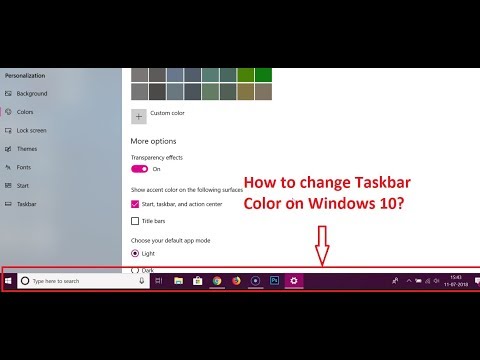
How to Change Taskbar Color on Windows 10?
ChannelTechMeSpotDescription from the creator
How to Change Taskbar Color on Windows 10?
Step 1: Type 'Settings' in search Box, and click to open it.
Step 2: Click on 'Personalization'.
Step 3: Click on 'Colors'.
Step 4: If you have 'Automatically pick an accent color from my background' enable, click on it to disable it.
Step 5: Scroll down and enable this option Start, taskbar, and accent center under 'Show accent color on the following surfaces.'
Step 6: Now, Go above and choose color of your choice, you will see color of your taskbar changed.
It's Done
My Recommended Products & Gears for Youtubers, and others (Affiliate Link):-
amazon.in/shop/techmespot
Thanks for watching, Don't forget to subscribe for more tech videos.
========================================================
YouTube Subscribe: goo.gl/4lCCN8
Twitter: twitter.com/techmespot
Website: techmespot.com
Disclaimer :- Techmespot is a participant in the Amazon Services LLC Associates Program, an affiliate advertising program designed to provide a means for sites to earn advertising fees by advertising and linking to www.amazon.in. Thank you for supporting Techmespot so I can continue to provide you with free content.
Step 1: Type 'Settings' in search Box, and click to open it.
Step 2: Click on 'Personalization'.
Step 3: Click on 'Colors'.
Step 4: If you have 'Automatically pick an accent color from my background' enable, click on it to disable it.
Step 5: Scroll down and enable this option Start, taskbar, and accent center under 'Show accent color on the following surfaces.'
Step 6: Now, Go above and choose color of your choice, you will see color of your taskbar changed.
It's Done
My Recommended Products & Gears for Youtubers, and others (Affiliate Link):-
amazon.in/shop/techmespot
Thanks for watching, Don't forget to subscribe for more tech videos.
========================================================
YouTube Subscribe: goo.gl/4lCCN8
Twitter: twitter.com/techmespot
Website: techmespot.com
Disclaimer :- Techmespot is a participant in the Amazon Services LLC Associates Program, an affiliate advertising program designed to provide a means for sites to earn advertising fees by advertising and linking to www.amazon.in. Thank you for supporting Techmespot so I can continue to provide you with free content.
About this tutorial
TechMeSpot published this 2:31 video tutorial on October 31, 2018. It has been watched 574,748 times on YouTube.
- Channel
- TechMeSpot
- Category
- Howto & Style
- Duration
- 2:31
- Published
- October 31, 2018
- Views
- 574,748
- Likes
- 5,188
Tags
Share
This tutorial in other languages
- FRComment faire pour changer Taskbar couleur sur Windows 10?
- ESCómo cambiar la barra de tareas de color en Windows 10?
- PTComo mudar Taskbar cores no Windows 10?
- ITCome cambiare colore barra delle applicazioni in Windows 10?
- DEWie Ändern Taskbar Farbe auf Windows 10?
- NLHoe te wijzigen taakbalk kleur op Windows 10?
- RUКак изменить панель задач цвета на Windows 10?
- PLJak zmienić kolor paska zadań w systemie Windows 10?
- JAどのようにWindowsの10に変更タスクバーの色に?
- ARكيفية تغيير شريط المهام اللون على ويندوز 10؟
- HIकैसे Windows 10 पर बदलें टास्कबार रंग के लिए?
- IDCara Mengubah Taskbar Warna pada Windows 10?