Playback starts YouTube’s embedded player (privacy-enhanced mode).
How to Create a Folder and Upload Files in Google Drive?
ChannelTechMeSpotDescription from the creator
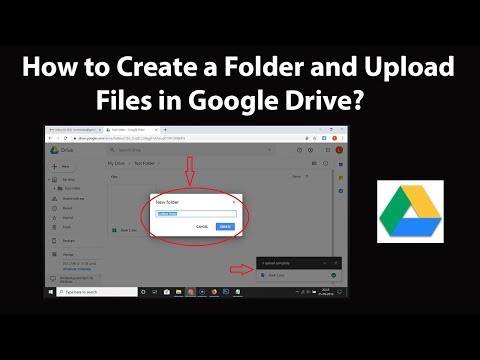
Step 1: Go to drive.google.com, and then login to your google drive account.
Step 2: In order to create a folder, Click on 'New' button, and then click on 'Folder.'
Step 3: On the Pop Up Screen, Give the name to your Folder, and then click on 'Create' button.
Step 4: In order to upload files, click on 'New' button, and then click on 'File Upload.'
Step 5: Select your file from new window, and then click on 'Open' button, and it will start uploading.
It's done.
Thanks for watching, please like and subscribe
==============================================
YouTube Subscribe: goo.gl/4lCCN8
Patreon: patreon.com/TechMeSpot
Facebook: facebook.com/techmespot
Twitter: twitter.com/techmespot
Website: techmespot.com
#howto #CreateFolder #GoogleDriveTutorials
About this tutorial
TechMeSpot published this 4:27 video tutorial on October 26, 2019. It has been watched 778,051 times on YouTube.
- Channel
- TechMeSpot
- Category
- Howto & Style
- Duration
- 4:27
- Published
- October 26, 2019
- Views
- 778,051
- Likes
- 6,751
Tags
Share
Further reading
-
2. Add files and folders - Google Workspace Learning Center
support.google.com
On the left, click a shared drive. Drag an existing file (that you own*) from your computer or from My Drive into a shared drive. Or, at the top of Drive, click New and choose an option: To create a file, select the fil…
-
Upload files and folders to Google Drive - Computer - Google ...
support.google.com
Open or create a folder. To upload files and folders, drag them into the Google Drive folder. Use Backup & Sync. Install the application on your computer. On your computer, you'll see a folder called "Google Drive." Dra…
-
How to create folders and move files in Google Drive ...
techrepublic.com
The simplest way to move files to another Google Drive folder is to drag and drop them, as in Figure E. It isn't always that simple, though: Dragging and dropping from one Google Drive folder to ...
This tutorial in other languages
- FRComment faire pour créer un dossier et envoyer des fichiers dans Google Drive?
- ESCómo crear una carpeta y cargar archivos en Google Drive?
- PTComo criar uma pasta e upload de arquivos no Google Drive?
- ITCome creare una cartella e caricare file in Google Drive?
- DEWie man einen Ordner und Dateien hochladen in Google Drive erstellen?
- NLHoe maak je een map en uploaden van bestanden in Google Drive te maken?
- RUКак создать папку и загрузить файлы в Google Диске?
- PLJak utworzyć folder i przesłać pliki na Dysku Google?
- JAGoogleドライブにフォルダとファイルのアップロードを作成するには?
- ARكيفية إنشاء مجلد وتحميل الملفات على Google Drive؟
- HIकैसे एक फ़ोल्डर और Google डिस्क में फ़ाइलें अपलोड बनाने के लिए?
- IDCara Membuat Folder dan Upload File di Google Drive?