Playback starts YouTube’s embedded player (privacy-enhanced mode).
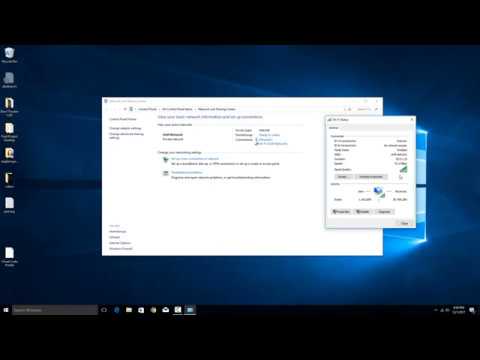
How to check your local network LAN speed in Windows 10
Channelhowtwos101Description from the creator
This video will show you how to check your negotiated local area network speed in Windows 10. This is the theoretical maximum network speed that you computer could utilize. This is not the same as your internet speed, but would limit your internet speed if the internet is faster than this value (as in, your computer shows a 100mb connection, but you can get 150mb from your ISP).
This essentially will show you what the connection speed is between you, and whatever device connects you to the network.
So if your computer has a gigabit network card, but this shows 100mb, then you can assume the router/switch you are connected to is 100mb, and you will need to update it to get gigabit. Or alternatively, if you know it is also a gigabit router/switch, you may need to update your cabling (Good quality Cat5e or Cat6 for gigabit)
This can also show you your negotiated WIFI LAN speed, so you can see if you wireless speed is keeping you from quickly transferring files over your local network.
Check out my facebook at: facebook.com/pages/All-How-2s/198429346974010
or my twitter: twitter.com/AllHow2s
Or my website where I have a lot of other great tutorials (such as how to take a screenshot, or how to get the start button back on Windows 8): allhow2s.com
This essentially will show you what the connection speed is between you, and whatever device connects you to the network.
So if your computer has a gigabit network card, but this shows 100mb, then you can assume the router/switch you are connected to is 100mb, and you will need to update it to get gigabit. Or alternatively, if you know it is also a gigabit router/switch, you may need to update your cabling (Good quality Cat5e or Cat6 for gigabit)
This can also show you your negotiated WIFI LAN speed, so you can see if you wireless speed is keeping you from quickly transferring files over your local network.
Check out my facebook at: facebook.com/pages/All-How-2s/198429346974010
or my twitter: twitter.com/AllHow2s
Or my website where I have a lot of other great tutorials (such as how to take a screenshot, or how to get the start button back on Windows 8): allhow2s.com
About this tutorial
howtwos101 published this 2:33 video tutorial on November 3, 2018. It has been watched 439,241 times on YouTube.
- Channel
- howtwos101
- Category
- Howto & Style
- Duration
- 2:33
- Published
- November 3, 2018
- Views
- 439,241
- Likes
- 1,143
Tags
Share
This tutorial in other languages
- FRComment vérifier votre réseau local vitesse du réseau local dans Windows 10
- ESCómo comprobar la velocidad de su red local LAN en Windows 10
- PTComo verificar sua rede velocidade LAN local no Windows 10
- ITCome controllare la velocità locale LAN di rete in Windows 10
- DEWie die lokale Netzwerk LAN-Geschwindigkeit in Windows 10 zu überprüfen,
- NLHoe kunt u uw lokale netwerk LAN snelheid controleren in Windows 10
- RUКак проверить локальную скорость сети LAN в Windows 10
- PLJak sprawdzić swoją sieć lokalną prędkość LAN w systemie Windows 10
- JAWindowsの10で、ローカルネットワークLANの速度をチェックする方法
- ARكيفية التحقق من سرعة الشبكة LAN المحلية في نظام التشغيل Windows 10
- HIकैसे Windows 10 में अपने स्थानीय नेटवर्क लैन गति की जांच करने के लिए
- IDBagaimana memeriksa jaringan kecepatan LAN lokal Anda di Windows 10