Playback starts YouTube’s embedded player (privacy-enhanced mode).
How to Open Windows Command Prompt in Windows 10
Channelhowtwos101Description from the creator
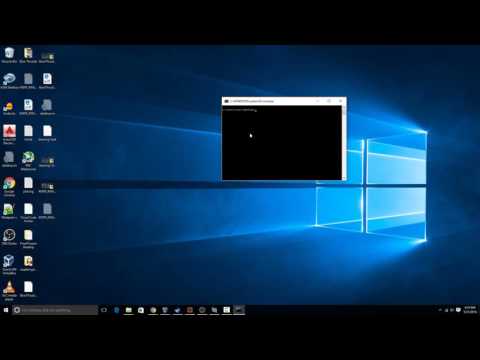
This video will show you how to get to the command prompt in Windows 10.
The first way, is the simpler and more useful way. Simply hold shift, and then right click in the folder where you want to open a command prompt. This will pop up with a Windows Command Prompt that has a path that is the same as your current folder, so you don't have to do any CD commands to get to the folder you want.
The only draw back this has, is that the command prompt is at the user level rather than an Administrator.
To get the administrator command prompt, you just have to go to the start menu, and then either search for CMD, or go to all apps and scroll all the way to the bottom, and choose Windows System. Then right click on the Command Prompt option, and go to more, then choose the Run as Administrator option.
Check out my facebook at: facebook.com/pages/All-How-2s/198429346974010
or my twitter: twitter.com/AllHow2s
Or my website where I have a lot of other great tutorials (such as how to take a screenshot, or how to get the start button back on Windows 8): allhow2s.com
The first way, is the simpler and more useful way. Simply hold shift, and then right click in the folder where you want to open a command prompt. This will pop up with a Windows Command Prompt that has a path that is the same as your current folder, so you don't have to do any CD commands to get to the folder you want.
The only draw back this has, is that the command prompt is at the user level rather than an Administrator.
To get the administrator command prompt, you just have to go to the start menu, and then either search for CMD, or go to all apps and scroll all the way to the bottom, and choose Windows System. Then right click on the Command Prompt option, and go to more, then choose the Run as Administrator option.
Check out my facebook at: facebook.com/pages/All-How-2s/198429346974010
or my twitter: twitter.com/AllHow2s
Or my website where I have a lot of other great tutorials (such as how to take a screenshot, or how to get the start button back on Windows 8): allhow2s.com
About this tutorial
howtwos101 published this 1:54 video tutorial on November 9, 2016. It has been watched 743,797 times on YouTube.
- Channel
- howtwos101
- Category
- Howto & Style
- Duration
- 1:54
- Published
- November 9, 2016
- Views
- 743,797
- Likes
- 3,709
Tags
Share
This tutorial in other languages
- FRComment faire pour démarrer et Exécuter Invite de commande dans l'écran de connexion
- ESCómo pantalla del sistema En Accede para iniciar y el comando RUN
- PTComo para iniciar e executar Command Prompt Tela In Login
- ITCome per avviare e gestire il prompt dei comandi Schermata Login
- DEWie zum Starten und Ausführen Eingabeaufforderung im Anmeldebildschirm
- NLHow To Start en Run Command Prompt In inlogscherm
- RUКак начать и запустить командную строку в экран Войти
- PLJak do uruchomienia wiersza polecenia W Ekran logowania
- JAどのようにし始め、ファイル名を指定して実行コマンドプロンプトでのログイン画面
- ARكيف لبدء وتشغيل موجه الأوامر في شاشة تسجيل الدخول
- HIकैसे करने के लिए शुरू करने और चलाने के कमांड प्रॉम्प्ट लॉग में स्क्रीन
- IDCara Buka Windows Command Prompt di Windows 10