Playback starts YouTube’s embedded player (privacy-enhanced mode).
How to Get Started with Latex on Windows 10 Texmaker MiKTeX
Channelhowtwos101Description from the creator
This video will show you how to install Latex, and make your first PDF output on Windows 10. This is not the only software or method for doing it, just the way that has worked best for me. You will just need to install 2 software packages, MiKTeX and Texmaker. Texmaker is the editor for Latex, where MiKTeX handles the compiling.
MiKTeX can be downloaded from: miktex.org/help
Texmaker can be downloaded from: xm1math.net/texmaker/download.html
After you have them downloaded, just run through the installation. You can essentially select the defaults for installation for both.
Once the installations are finished, open Texmaker. To make your first Latex document, just click on new at the top left. After that, I would paste in some known working Latex so you can test it out. In the video I used: mally.stanford.edu/~sr/computing/latex-example.…
Click the arrow to the left of quick build to compile the latex document. It should ask you if you want to install lingmacros, because it is the first time that has been used, so just click yes to install it. It will not ask you if you want to install tree-dvips because that is included in the Latex installation already.
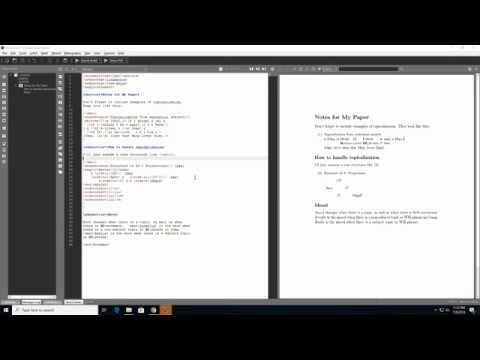
After the package installation is completed, then the compiled PDF will show up on the right. If you make a change and compile again, it will compile much faster because it has all of the packages required.
Check out my facebook at: facebook.com/pages/All-How-2s/198429346974010
or my twitter: twitter.com/AllHow2s
Or my website where I have a lot of other great tutorials (such as how to take a screenshot, or how to get the start button back on Windows 8): allhow2s.com
MiKTeX can be downloaded from: miktex.org/help
Texmaker can be downloaded from: xm1math.net/texmaker/download.html
After you have them downloaded, just run through the installation. You can essentially select the defaults for installation for both.
Once the installations are finished, open Texmaker. To make your first Latex document, just click on new at the top left. After that, I would paste in some known working Latex so you can test it out. In the video I used: mally.stanford.edu/~sr/computing/latex-example.…
Click the arrow to the left of quick build to compile the latex document. It should ask you if you want to install lingmacros, because it is the first time that has been used, so just click yes to install it. It will not ask you if you want to install tree-dvips because that is included in the Latex installation already.
After the package installation is completed, then the compiled PDF will show up on the right. If you make a change and compile again, it will compile much faster because it has all of the packages required.
Check out my facebook at: facebook.com/pages/All-How-2s/198429346974010
or my twitter: twitter.com/AllHow2s
Or my website where I have a lot of other great tutorials (such as how to take a screenshot, or how to get the start button back on Windows 8): allhow2s.com
About this tutorial
howtwos101 published this 5:11 video tutorial on November 12, 2018. It has been watched 414,848 times on YouTube.
- Channel
- howtwos101
- Category
- Howto & Style
- Duration
- 5:11
- Published
- November 12, 2018
- Views
- 414,848
- Likes
- 2,616
Tags
Share
This tutorial in other languages
- FRComment débuter avec le latex sur Windows 10 Texmaker MikTeX
- ESCómo empezar con látex en Windows 10 Texmaker MiKTeX
- PTComo começar com látex no Windows 10 Texmaker MiKTeX
- ITCome iniziare con Latex su Windows 10 Texmaker MiKTeX
- DEWie kommt man mit Latex auf Windows 10 Texmaker MiKTeX Gestartet
- NLAan de slag met latex op Windows 10 texmaker MiKTeX
- RUКак начать работу с латексом на Windows 10 Texmaker MiKTeX
- PLJak zacząć z lateksu na Windows 10 Texmaker MiKTeX
- JAどのようにWindowsの10 Texmaker MiKTeXにラテックスを始めるために
- ARكيف تبدأ مع مطاط على ويندوز 10 Texmaker MiKTeX
- HIकैसे Windows 10 Texmaker MiKTeX पर लेटेक्स के साथ आरंभ करने के लिए
- IDBagaimana Memulai dengan Lateks pada Windows 10 Texmaker MiKTeX