Playback starts YouTube’s embedded player (privacy-enhanced mode).
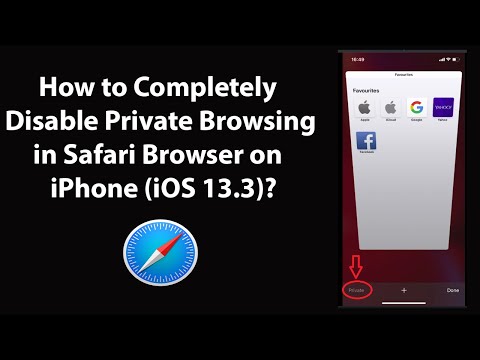
How to Completely Disable Private Browsing in Safari Browser on iPhone (iOS 13.3)?
ChannelTechMeSpotDescription from the creator
How to Completely Disable Private Browsing in Safari Browser on iPhone (iOS 13.3)?
Step 1: Open 'Settings' App.
Step 2: Tap on 'Screen Time,' and then tap on 'Content & Privacy Restrictions.'
Step 3: Tap on 'Content Restrictions.'
Step 4: Tap on 'Web Content.'
Step 5: Tap on 'Limit Adult Websites.'
It's done.
Thanks for watching, please like and subscribe
==============================================
YouTube Subscribe: goo.gl/4lCCN8
Facebook: facebook.com/techmespot
Twitter: twitter.com/techmespot
Website: techmespot.com
#howto #PrivateBrowsing #SafariBrowser
Step 1: Open 'Settings' App.
Step 2: Tap on 'Screen Time,' and then tap on 'Content & Privacy Restrictions.'
Step 3: Tap on 'Content Restrictions.'
Step 4: Tap on 'Web Content.'
Step 5: Tap on 'Limit Adult Websites.'
It's done.
Thanks for watching, please like and subscribe
==============================================
YouTube Subscribe: goo.gl/4lCCN8
Facebook: facebook.com/techmespot
Twitter: twitter.com/techmespot
Website: techmespot.com
#howto #PrivateBrowsing #SafariBrowser
About this tutorial
TechMeSpot published this 3:47 video tutorial on May 8, 2020. It has been watched 67,789 times on YouTube.
- Channel
- TechMeSpot
- Category
- Howto & Style
- Duration
- 3:47
- Published
- May 8, 2020
- Views
- 67,789
- Likes
- 464
Tags
Share
This tutorial in other languages
- FRComment désactiver complètement la navigation privée dans le navigateur Safari sur iPhone (iOS 13.3)?
- ESCómo desactivar completamente la navegación privada en el navegador Safari en el iPhone (IOS 13.3)?
- PTComo desativar completamente privada Navegação no navegador Safari no iPhone (iOS 13,3)?
- ITCome disabilitare completamente privati Navigazione in Safari browser su iPhone (iOS 13.3)?
- DEWie vollständig deaktivieren Private Browsing in Safari-Browser auf dem iPhone (iOS 13.3)?
- NLHoe volledig uitschakelen Private Browsing in Safari-browser op de iPhone (iOS 13,3)?
- RUКак полностью отключить приватного просмотра в Safari браузер на iPhone (IOS 13,3)?
- PLJak całkowicie wyłączyć Przeglądanie prywatne w przeglądarce Safari na iPhone (iOS 13,3)?
- JAどのようにiPhoneのSafariブラウザで完全に無効にするプライベートブラウジング(iOSの13.3)に?
- ARكيفية تماما التصفح تعطيل الخاص في متصفح سفاري على اي فون (دائرة الرقابة الداخلية 13.3)؟
- HIकैसे iPhone पर Safari ब्राउज़र में पूरी तरह से निजी ब्राउज़िंग (आईओएस 13.3) अक्षम करने के लिए?
- IDCara Completely Nonaktifkan Private Browsing di Safari Browser pada iPhone (iOS 13,3)?