Playback starts YouTube’s embedded player (privacy-enhanced mode).
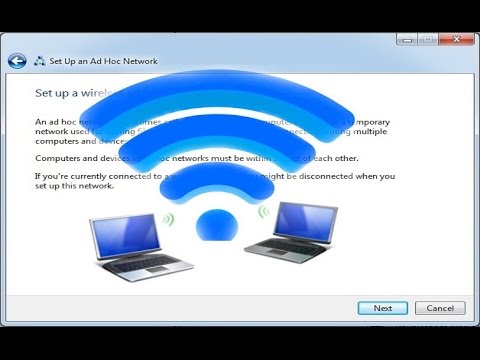
How to Connect two or more Computers by Wireless Connection & Share Files between them
ChannelTheBeginnerGuyDescription from the creator
The above video is for windows 7 to 7 file transfer only. To transfer files between two windows 10 system or between windows 7 and 10, watch below video..
youtu.be/59SdMRUyQ_s
Please watch this too for more connections trick
"Connect two computer via LAN wire in Windows 7 and share Files"
youtube.com/watch?v=rJHSTDqDOJc
Hi guys, In this video I will tell you how to connect two computer using wireless connection and after connection you can share files between those two computer. It is quite easy and doesn't need any third party help. 99.99% laptop (not Desktop computer) comes with wifi. You just need to turn on both computer's wi fi switch..
It doesn't need any wi fi router. Your primary computer will work as a hub and you can connect more computer also. Actually you create a network by your computer in which you can view or share files among those computer.
One more thing it doesn't need IP address like for the connection by LAN wire. All you need is to create Ad-hoc network. The range of this network will be within your home. It depends your computer wi fi range and speed.
If your primary (or Computer 1 in this video) computer is connected to Internet then you will be able to share internet also. Here you should note that you can not connect your mobile phone with this network
Please Support my work here
buymeacoffee.com/shivesh
Gears I used
Laptop :- amzn.to/3hzSn27
Mobile :- amzn.to/3loMKF5
keyboard and mouse :- amzn.to/38Pe6yd
If you have any doubt, then please ask.
Thanks,
youtu.be/59SdMRUyQ_s
Please watch this too for more connections trick
"Connect two computer via LAN wire in Windows 7 and share Files"
youtube.com/watch?v=rJHSTDqDOJc
Hi guys, In this video I will tell you how to connect two computer using wireless connection and after connection you can share files between those two computer. It is quite easy and doesn't need any third party help. 99.99% laptop (not Desktop computer) comes with wifi. You just need to turn on both computer's wi fi switch..
It doesn't need any wi fi router. Your primary computer will work as a hub and you can connect more computer also. Actually you create a network by your computer in which you can view or share files among those computer.
One more thing it doesn't need IP address like for the connection by LAN wire. All you need is to create Ad-hoc network. The range of this network will be within your home. It depends your computer wi fi range and speed.
If your primary (or Computer 1 in this video) computer is connected to Internet then you will be able to share internet also. Here you should note that you can not connect your mobile phone with this network
Please Support my work here
buymeacoffee.com/shivesh
Gears I used
Laptop :- amzn.to/3hzSn27
Mobile :- amzn.to/3loMKF5
keyboard and mouse :- amzn.to/38Pe6yd
If you have any doubt, then please ask.
Thanks,
About this tutorial
TheBeginnerGuy published this 5:12 video tutorial on October 31, 2016. It has been watched 1,169,249 times on YouTube.
- Channel
- TheBeginnerGuy
- Category
- Howto & Style
- Duration
- 5:12
- Published
- October 31, 2016
- Views
- 1,169,249
- Likes
- 5,093
Tags
Share
This tutorial in other languages
- FRComment connecter deux ordinateurs ou plus par connexion sans fil et partager des fichiers entre eux
- ESCómo conectar dos o más ordenadores mediante la conexión inalámbrica y compartir archivos entre ellos
- PTComo conectar dois ou mais computadores por conexão sem fio e compartilhar arquivos entre eles
- ITCome collegare due o più computer da Wireless Connection e condividere file tra di loro
- DEWie verbinde ich zwei oder mehr Computer, die von Wireless Connection & Dateien gemeinsam zwischen ihnen
- NLHoe om twee of meer computers door draadloze verbinding en deel bestanden tussen hen
- RUКак соединить два или более компьютеров с помощью беспроводного соединения и обмена файлами между ними
- PLJak połączyć dwa komputery przez połączenie bezprzewodowe i udostępniać pliki między nimi
- JAどのように接続する2台の以上のコンピュータにそれらの間の無線接続&シェアファイルにより、
- ARكيفية ربط جهازي كمبيوتر أو أكثر من اتصال لاسلكية ومشاركة الملفات بينهما
- HIकैसे कनेक्ट दो या अधिक कंप्यूटर को वायरलेस कनेक्शन और उन दोनों के बीच साझा फ़ाइलें द्वारा
- IDCara Connect dua atau lebih Komputer dengan Koneksi Nirkabel & Berbagi File di antara mereka