Playback starts YouTube’s embedded player (privacy-enhanced mode).
How to Delete Photos from Photostream on iPad and iPhone
ChanneliPhone, iPad and Android Tutorials from HowTechDescription from the creator
In this tutorial you are going to learn how to delete photos from Photostream. This tutorial assumes that you have Photostream set up on your capture device (such as an iPhone or iPad) as well as your Windows PC with the iCloud Control Panel for Windows.
Don't forget to check out our site howtech.tv/ for more free how-to videos!
youtube.com/ithowtovids - our feed
Facebook.com/howtechtv - join us on Facebook
plus.google.com/103440382717658277879 - our group in Google+
Step # 1 -- Opening Photostream
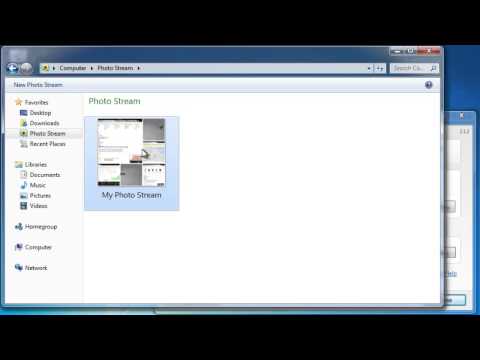
The process for this is actually very simple. First you will need to click on the start orb and in the menu that appears click on "Computer". Assuming that you have the iCloud software installed you will see an option called "Photostream" under "Favorites", click on this.
Step # 2 -- Deleting a Photo
A folder will open that has an option called "My Photo Stream" -- this is where the photos that you take on your Apple device with a camera will go. Double click on this folder to open it. Inside you will see the photos that you have taken on your Apple device, simply right click on any one of them that you want to delete. In the menu that appears click "Delete" and then click "Yes" in the dialog box that appears.
Step # 3 -- Results of the Deletion
The photo will be removed from the computer and after a moment of syncing it will also be removed from any other devices that sync with your Photostream -- such as the device that took the picture.
That's all there is to it really, you now know how to delete photos from Photostream.
Don't forget to check out our site howtech.tv/ for more free how-to videos!
youtube.com/ithowtovids - our feed
Facebook.com/howtechtv - join us on Facebook
plus.google.com/103440382717658277879 - our group in Google+
Step # 1 -- Opening Photostream
The process for this is actually very simple. First you will need to click on the start orb and in the menu that appears click on "Computer". Assuming that you have the iCloud software installed you will see an option called "Photostream" under "Favorites", click on this.
Step # 2 -- Deleting a Photo
A folder will open that has an option called "My Photo Stream" -- this is where the photos that you take on your Apple device with a camera will go. Double click on this folder to open it. Inside you will see the photos that you have taken on your Apple device, simply right click on any one of them that you want to delete. In the menu that appears click "Delete" and then click "Yes" in the dialog box that appears.
Step # 3 -- Results of the Deletion
The photo will be removed from the computer and after a moment of syncing it will also be removed from any other devices that sync with your Photostream -- such as the device that took the picture.
That's all there is to it really, you now know how to delete photos from Photostream.
About this tutorial
iPhone, iPad and Android Tutorials from HowTech published this 1:08 video tutorial on November 11, 2013. It has been watched 4,388 times on YouTube.
- Category
- Howto & Style
- Duration
- 1:08
- Published
- November 11, 2013
- Views
- 4,388
- Likes
- 5
Tags
Share
This tutorial in other languages
- FRComment supprimer les photos de Photostream sur iPad et iPhone
- ESCómo eliminar fotos de Secuencia de fotos en el iPad y el iPhone
- PTComo excluir fotos de Photostream no iPad e iPhone
- ITCome eliminare le foto da Photostream su iPad e iPhone
- DEWie Fotos von Fotostream auf dem iPad und iPhone löschen
- NLHoe te verwijderen foto's uit Fotostream op iPad en iPhone
- RUКак удалить фотографии из Photostream на IPad и iPhone
- PLJak usunąć zdjęcia z photostream na iPad i iPhone
- JAiPadとiPhone上のPhotostreamから写真を削除する方法
- ARكيفية حذف صور من مجموعة صور على جهاز iPad و iPhone
- HIiPad और iPhone पर हटाएँ कैसे फ़ोटोस्ट्रीम से तस्वीरें
- IDCara Hapus Foto dari Photostream di iPad dan iPhone