Playback starts YouTube’s embedded player (privacy-enhanced mode).
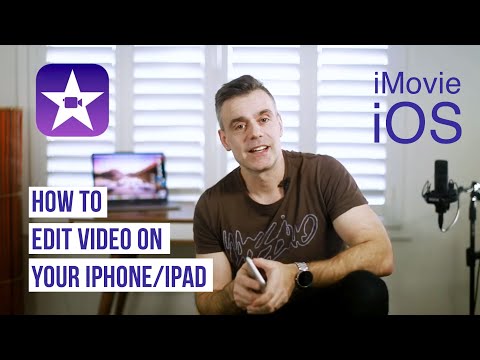
How to edit video on your iPhone or iPad with iMovie - Full Tutorial
ChannelTouch Technology ReviewDescription from the creator
In this video, I'll show you how to use iMovie for iOS. Taking you through all the steps involved in creating a movie, including importing you media, cutting clips, applying transitions, adding text and adding music.
You can follow along with iMovie on your iPad or iPhone. If you don't have a copy of it, go to the App store and download it for free.
Note a new version has just been released. Much of it is the same but there are some new features including the ability to do Green Screen and PIP with still images. The interface looks mostly the same but some minor differences which I'll explain on a new video shortly.
This video has been updated to reflect some of the additional features in 2020:
New video here:
youtube.com/watch?v=tsNnuBTTnc4
See the follow up video on how to do Picture in Picture and Split Screen video using iMovie here:
youtube.com/watch?v=nwAuHSvUmtM&t=288s
How to Green Screen using iMovie:
youtube.com/watch?v=sa8CbsV3Czg&t=521s
How to record Voice over using iMovie iOS
youtube.com/watch?v=snyh3-IowH8&t=1s
MY MOBILE FILMMAKING COURSE IS OUT NOW!!
My special offer price is $29*, (usually $249*) - just follow the link below and your discount will be auto-applied.
This price gives you access for 60 days, but annual or lifetime purchases are also available.
*Prices may vary depending on which currency you use but discount percentages are the same. Discount will be applied automatically at checkout.
ioa.pxf.io/c/2859389/1103242/12764
You can follow along with iMovie on your iPad or iPhone. If you don't have a copy of it, go to the App store and download it for free.
Note a new version has just been released. Much of it is the same but there are some new features including the ability to do Green Screen and PIP with still images. The interface looks mostly the same but some minor differences which I'll explain on a new video shortly.
This video has been updated to reflect some of the additional features in 2020:
New video here:
youtube.com/watch?v=tsNnuBTTnc4
See the follow up video on how to do Picture in Picture and Split Screen video using iMovie here:
youtube.com/watch?v=nwAuHSvUmtM&t=288s
How to Green Screen using iMovie:
youtube.com/watch?v=sa8CbsV3Czg&t=521s
How to record Voice over using iMovie iOS
youtube.com/watch?v=snyh3-IowH8&t=1s
MY MOBILE FILMMAKING COURSE IS OUT NOW!!
My special offer price is $29*, (usually $249*) - just follow the link below and your discount will be auto-applied.
This price gives you access for 60 days, but annual or lifetime purchases are also available.
*Prices may vary depending on which currency you use but discount percentages are the same. Discount will be applied automatically at checkout.
ioa.pxf.io/c/2859389/1103242/12764
About this tutorial
Touch Technology Review published this 19:14 video tutorial on October 26, 2018. It has been watched 891,369 times on YouTube.
- Channel
- Touch Technology Review
- Category
- Howto & Style
- Duration
- 19:14
- Published
- October 26, 2018
- Views
- 891,369
- Likes
- 14,208
Tags
Share
This tutorial in other languages
- FRComment modifier la vidéo sur votre iPhone ou iPad avec iMovie - Full Tutorial
- ESCómo editar vídeo en el iPhone o iPad con iMovie - Tutorial completo
- PTComo editar vídeos no seu iPhone ou iPad com o iMovie - Tutorial completo
- ITCome modificare i video sul vostro iPhone o iPad con iMovie - tutorial completo
- DEWie zu bearbeiten Video auf Ihrem iPhone oder iPad mit iMovie - Full Tutorial
- NLHoe te bewerken van video op je iPhone of iPad met iMovie - Full Tutorial
- RUКак редактировать видео на вашем iPhone или IPad с IMOVIE - Полный Учебник
- PLJak edytować wideo na iPhonie lub iPadzie z iMovie - Full Tutorial
- JAどのようにiMovieを持つiPhoneやiPad上で編集したビデオに - フルチュートリアル
- ARكيفية تحرير الفيديو على جهاز اي فون أو آي باد مع موفي - دروس كاملة
- HIकैसे अपने iPhone या iPad iMovie के साथ संपादित वीडियो के लिए - पूर्ण ट्यूटोरियल
- IDCara mengedit video pada iPhone atau iPad dengan iMovie - Full Tutorial