Playback starts YouTube’s embedded player (privacy-enhanced mode).
How to Enable or Disable IPv6 in Windows 10?
ChannelTechMeSpotDescription from the creator
How to Enable or Disable IPv6 in Windows 10?
Step 1: Go to Control Panel.
Step 2: Go to "Network and Sharing Center."
Step 3: Go to "Change Adapter Settings."
Step 4: Double click on your Active Internet Connection.
Step 5: Click on properties.
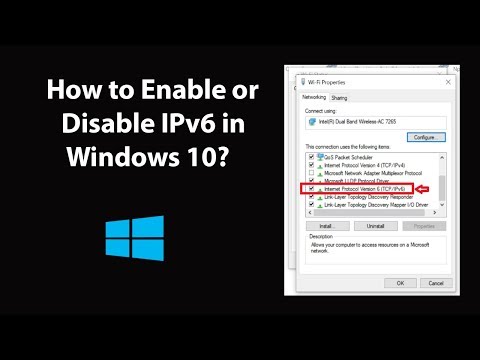
Step 6: Scroll down to 'Internet Protocol Version 6(TCP/IPv6),' Uncheck the box beside it, in order to disable it. To Enable, Check the box. After that, click on 'ok' button, and then click on 'Close' button.
It's done.
Thanks for watching, please like and subscribe
=====================================
YouTube Subscribe: goo.gl/4lCCN8
Twitter: twitter.com/techmespot
Website: techmespot.com
#howto #EnableIpv6 #DisableIpv6
Step 1: Go to Control Panel.
Step 2: Go to "Network and Sharing Center."
Step 3: Go to "Change Adapter Settings."
Step 4: Double click on your Active Internet Connection.
Step 5: Click on properties.
Step 6: Scroll down to 'Internet Protocol Version 6(TCP/IPv6),' Uncheck the box beside it, in order to disable it. To Enable, Check the box. After that, click on 'ok' button, and then click on 'Close' button.
It's done.
Thanks for watching, please like and subscribe
=====================================
YouTube Subscribe: goo.gl/4lCCN8
Twitter: twitter.com/techmespot
Website: techmespot.com
#howto #EnableIpv6 #DisableIpv6
About this tutorial
TechMeSpot published this 3:22 video tutorial on February 15, 2020. It has been watched 88,124 times on YouTube.
- Channel
- TechMeSpot
- Category
- Howto & Style
- Duration
- 3:22
- Published
- February 15, 2020
- Views
- 88,124
- Likes
- 709
Tags
Share
This tutorial in other languages
- FRComment activer ou désactiver IPv6 dans Windows 10?
- ESCómo habilitar o deshabilitar IPv6 en Windows 10?
- PTComo habilitar ou desabilitar o IPv6 no Windows 10?
- ITCome abilitare o disabilitare IPv6 in Windows 10?
- DEWie Aktivieren oder Deaktivieren von IPv6 in Windows 10?
- NLHoe kan in- of uitschakelen IPv6 in Windows 10?
- RUКак включить или отключить IPv6 в Windows 10?
- PLJak włączyć lub wyłączyć IPv6 w systemie Windows 10?
- JA有効または無効にする方法のIPv6のWindows 10でするには?
- ARكيفية تمكين أو تعطيل IPv6 في ويندوز 10؟
- HIकैसे सक्षम या Windows 10 में अक्षम आईपीवी 6 के लिए?
- IDCara Aktifkan atau Nonaktifkan IPv6 di Windows 10?