Playback starts YouTube’s embedded player (privacy-enhanced mode).
How to manage cookies in Safari
ChannelkvchostingDescription from the creator
• Cookie is a piece of text stored on your computer automatically by web browser. Cookies are helpful in storing login information, preferences and shopping cart data. Many websites require enabling of cookies before accessing them.
• Open menu by clicking on Apple icon. Click Preferences. Go to security tab.
• Use these options for allowing cookies always, never or block cookies from third parties.
• Click Show Cookies to view the list of cookies that are currently stored. You can search for cookies and manually delete ones from sites you don't recognize.
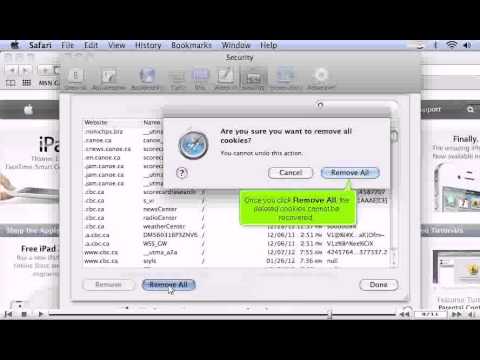
• If you want to delete a cookie or site or all of them, click on Remove or Remove all button. Cookies once deleted can't be recovered.
• Open menu by clicking on Apple icon. Click Preferences. Go to security tab.
• Use these options for allowing cookies always, never or block cookies from third parties.
• Click Show Cookies to view the list of cookies that are currently stored. You can search for cookies and manually delete ones from sites you don't recognize.
• If you want to delete a cookie or site or all of them, click on Remove or Remove all button. Cookies once deleted can't be recovered.
About this tutorial
kvchosting published this 2:51 video tutorial on October 27, 2013. It has been watched 61,313 times on YouTube.
- Channel
- kvchosting
- Category
- Howto & Style
- Duration
- 2:51
- Published
- October 27, 2013
- Views
- 61,313
- Likes
- 40
Tags
Share
This tutorial in other languages
- FRComment gérer les cookies dans Safari
- ES¿Cómo gestionar las cookies en Safari
- PTComo gerenciar cookies no Safari
- ITCome gestire i cookie in Safari
- DEWie Verwalten von Cookies in Safari
- NLHoe cookies in Safari beheren
- RUКак управлять куки в Safari
- PLJak zarządzać plikami cookie w Safari
- JASafariでCookieの管理方法
- ARكيفية إدارة ملفات تعريف الارتباط في سفاري
- HIकैसे सफारी में कुकी प्रबंधित करने
- IDBagaimana mengelola cookie di Safari