Playback starts YouTube’s embedded player (privacy-enhanced mode).
How to remove Toolbars from Internet Explorer
ChannelHOWTECHDescription from the creator
Toolsbars are often an irritation in internet browsers. This tutorial will show you how to remove them from Internet Explorer
Don't forget to check out our site howtech.tv/ for more free how-to videos!
youtube.com/ithowtovids - our feed
facebook.com/howtechtv - join us on facebook
plus.google.com/103440382717658277879 - our group in Google+
Introduction:
Toolbars are often something that are often just installed by accident. This tutorial will show you how to remove toolbars from ie.
Step # 1 -- Load Control Panel
Close Internet Explorer if you have it open. Then click "Start" and navigate to "Control Panel" which is in the right hand column of the "Start Menu".
Step # 2 -- Locate Uninstall a Program
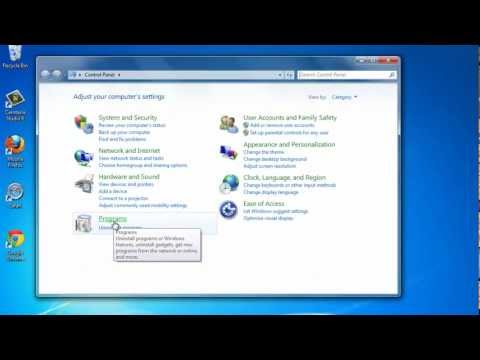
"Control Panel" will have numerous options. There is a heading called "Programs" and under this you will see a link called "Uninstall a program", click it. This will load a window with a list of all the installed programs on the computer. Wait for the computer to finish building this list.
Step # 3 -- Finding the Relevant Toolbar
Make sure you know the name of the toolbar. In this example we are removing, "Your TV Toolbar", locate this in the list, it is called "your-tv-live Toolbar" here. Right click on this and click on the "Uninstall/Change" option that appears.
Step # 4 -- Completing the Uninstall
You will be prompted to confirm that you want to uninstall the toolbar, click "Yes". The uninstall will run, depending on what you are uninstalling a browser may open, just close this. This completes the uninstall process and that's how to remove toolbars from ie.
Don't forget to check out our site howtech.tv/ for more free how-to videos!
youtube.com/ithowtovids - our feed
facebook.com/howtechtv - join us on facebook
plus.google.com/103440382717658277879 - our group in Google+
Introduction:
Toolbars are often something that are often just installed by accident. This tutorial will show you how to remove toolbars from ie.
Step # 1 -- Load Control Panel
Close Internet Explorer if you have it open. Then click "Start" and navigate to "Control Panel" which is in the right hand column of the "Start Menu".
Step # 2 -- Locate Uninstall a Program
"Control Panel" will have numerous options. There is a heading called "Programs" and under this you will see a link called "Uninstall a program", click it. This will load a window with a list of all the installed programs on the computer. Wait for the computer to finish building this list.
Step # 3 -- Finding the Relevant Toolbar
Make sure you know the name of the toolbar. In this example we are removing, "Your TV Toolbar", locate this in the list, it is called "your-tv-live Toolbar" here. Right click on this and click on the "Uninstall/Change" option that appears.
Step # 4 -- Completing the Uninstall
You will be prompted to confirm that you want to uninstall the toolbar, click "Yes". The uninstall will run, depending on what you are uninstalling a browser may open, just close this. This completes the uninstall process and that's how to remove toolbars from ie.
About this tutorial
HOWTECH published this 1:24 video tutorial on November 7, 2013. It has been watched 14,124 times on YouTube.
- Channel
- HOWTECH
- Category
- Howto & Style
- Duration
- 1:24
- Published
- November 7, 2013
- Views
- 14,124
- Likes
- 14
Share
This tutorial in other languages
- FRComment faire pour supprimer les barres d'outils d'Internet Explorer
- ES¿Cómo eliminar las barras de herramientas de Internet Explorer
- PTComo remover barras de ferramentas do Internet Explorer
- ITCome rimuovere le barre degli strumenti da Internet Explorer
- DEWie Symbolleiste von Internet Explorer entfernen
- NLHoe te Werkbalken verwijderen uit Internet Explorer
- RUКак удалить из панели инструментов Internet Explorer
- PLJak usunąć paski narzędzi z programu Internet Explorer
- JAInternet Explorerのツールバーからを削除する方法
- ARكيفية إزالة أشرطة الأدوات من إنترنت إكسبلورر
- HIइंटरनेट एक्सप्लोरर से उपकरण पट्टियाँ निकालने का तरीका
- IDBagaimana menghapus Toolbar dari Internet Explorer