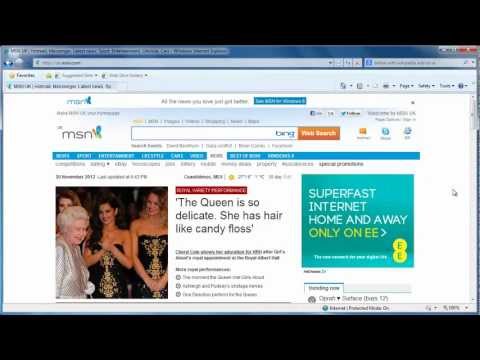
Playback starts YouTube’s embedded player (privacy-enhanced mode).
How to Remove Internet Explorer Addons
ChannelHOWTECHDescription from the creator
Add on for Internet Explorer can be useful, but sometimes you need to remove them. This tutorial shows you how to do it.
Don't forget to check out our site howtech.tv/ for more free how-to videos!
youtube.com/ithowtovids - our feed
facebook.com/howtechtv - join us on facebook
plus.google.com/103440382717658277879 - our group in Google+
Introduction:
Add ons are often a useful tool in Internet Explorer, but at some point you may no longer have a use for one. This tutorial will look at how to remove internet explorer add ons from your browser.
Step # 1 -- Make the Menu Bar Visible
Open Internet Explorer. You are going to need to enable the "Menu Bar". To do this right click anywhere on the top toolbar and click on the "Menu Bar" option that appears in the pop up menu.
Step # 2 -- Navigating to Manage Add-ons
Now that you can see the "Menu Bar" click on the "Tools" option and navigate to "Manage Add-ons". Click this and the "Manage Add-ons" window will appear.
Step # 3 -- Locating the Add on
In this tutorial about how to remove internet explorer add ons we are going to be removing the add on called "Define with Wikipedia". You need to locate the name of whatever add on you are removing. We can find the add on here by going to "Accelerators" and looking to the frame on the right.
Step # 4 -- Removing the add on
Click on the add on, then press the "Remove" button located at the bottom right of the window. A confirmation window will appear asking whether you are sure you want to remove the add on, click "Yes".
Don't forget to check out our site howtech.tv/ for more free how-to videos!
youtube.com/ithowtovids - our feed
facebook.com/howtechtv - join us on facebook
plus.google.com/103440382717658277879 - our group in Google+
Introduction:
Add ons are often a useful tool in Internet Explorer, but at some point you may no longer have a use for one. This tutorial will look at how to remove internet explorer add ons from your browser.
Step # 1 -- Make the Menu Bar Visible
Open Internet Explorer. You are going to need to enable the "Menu Bar". To do this right click anywhere on the top toolbar and click on the "Menu Bar" option that appears in the pop up menu.
Step # 2 -- Navigating to Manage Add-ons
Now that you can see the "Menu Bar" click on the "Tools" option and navigate to "Manage Add-ons". Click this and the "Manage Add-ons" window will appear.
Step # 3 -- Locating the Add on
In this tutorial about how to remove internet explorer add ons we are going to be removing the add on called "Define with Wikipedia". You need to locate the name of whatever add on you are removing. We can find the add on here by going to "Accelerators" and looking to the frame on the right.
Step # 4 -- Removing the add on
Click on the add on, then press the "Remove" button located at the bottom right of the window. A confirmation window will appear asking whether you are sure you want to remove the add on, click "Yes".
About this tutorial
HOWTECH published this 1:19 video tutorial on October 31, 2013. It has been watched 22,819 times on YouTube.
- Channel
- HOWTECH
- Category
- Howto & Style
- Duration
- 1:19
- Published
- October 31, 2013
- Views
- 22,819
- Likes
- 21
Share
This tutorial in other languages
- FRComment faire pour supprimer Internet Explorer Addons
- ESCómo quitar Internet Explorer Complementos
- PTComo remover Explorador Complementos Internet
- ITCome rimuovere Internet Explorer Programmi relazionati
- DEWie man Internet Explorer Addons entfernen
- NLHoe te verwijderen Internet Explorer add-ons
- RUКак удалить Internet Explorer плагины
- PLJak usunąć program Internet Explorer Addons
- JAInternet Explorerのアドオンを削除する方法
- ARكيفية إزالة إنترنت إكسبلورر إضافات
- HIकैसे इंटरनेट एक्सप्लोरर के ऐड-ऑन निकालें
- IDCara Hapus Internet Explorer Addons