Playback starts YouTube’s embedded player (privacy-enhanced mode).
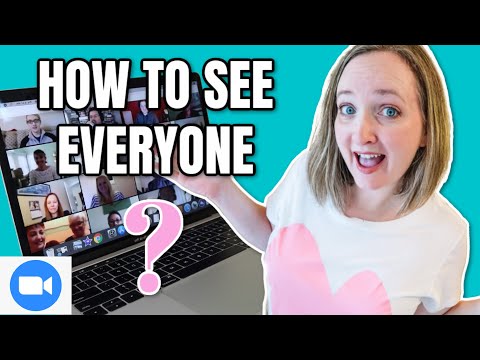
How To See Everyone On Zoom | Gallery View Tutorial
ChannelShawnMHowellDescription from the creator
*****This video is 2 years old. Please watch the current 2022 tutorial: youtu.be/h_KA8X5FErU
Once you've downloaded the Zoom app onto your desktop or phone, start a Zoom meeting or Join a Zoom call. Most Zoom meetings begin in speaker view meaning that you'll see whoever is speaking on your screen. To see everyone on the Zoom meeting, hover your mouse on the top right of your Zoom screen and you'll see the option to click on "gallery view." Gallery view will show you, up to 49 people on desktop, in a grid on your screen. This is the perfect time, to ask everyone to wave and take a picture screen shot of your group. If there are more than 49 people on your Zoom call, Zoom will load additional pages that you will use your left and right arrow buttons to scroll through. Unfortunately, if you are joining a Zoom call on your phone, 4 is the max number of people you will see in gallery view.
#zoomtutorial #galleryview #zoom
✅How to create a FREE virtual background for Zoom: youtu.be/BQbCKLEtAD8
✅How To Use Zoom Playlist: youtube.com/playlist?list=PLr3JyJlapOYT4Z8Uy3EZ…
✅Zoom Game ideas playlist: youtube.com/playlist?list=PLr3JyJlapOYRR_bhWduf…
➡️The official Zoom support page: support.zoom.us/hc/en-us/articles/201362323-Cha…
✅FREE Zoom Backgrounds:
shawnmhowell.com/shop
🔴Subscribe to my YouTube channel: goo.gl/r7kbvi
Email me: [email protected]
—————————————
🔴FOLLOW ME👣
Facebook: facebook.com/Prayerlights36/
Instagram: instagram.com/prayerlightsgames/
****************************
For Business Inquires email: [email protected]
****************************
🎬EQUIPMENT SETUP:
Ring Light: amzn.to/2qVnRI2
Canon G7x mark ii: amzn.to/2DKJ9O3
🔴SUPPORT MY CHANNEL
Buy me a Coffee to show your appreciation!
ko-fi.com/prayerlights
DISCLAIMER: This video and description contains affiliate links, which means that if you click on one of the product links, I’ll receive a small commission. This helps support the channel and allows us to continue to make videos like this. Thank you for the support!
Once you've downloaded the Zoom app onto your desktop or phone, start a Zoom meeting or Join a Zoom call. Most Zoom meetings begin in speaker view meaning that you'll see whoever is speaking on your screen. To see everyone on the Zoom meeting, hover your mouse on the top right of your Zoom screen and you'll see the option to click on "gallery view." Gallery view will show you, up to 49 people on desktop, in a grid on your screen. This is the perfect time, to ask everyone to wave and take a picture screen shot of your group. If there are more than 49 people on your Zoom call, Zoom will load additional pages that you will use your left and right arrow buttons to scroll through. Unfortunately, if you are joining a Zoom call on your phone, 4 is the max number of people you will see in gallery view.
#zoomtutorial #galleryview #zoom
✅How to create a FREE virtual background for Zoom: youtu.be/BQbCKLEtAD8
✅How To Use Zoom Playlist: youtube.com/playlist?list=PLr3JyJlapOYT4Z8Uy3EZ…
✅Zoom Game ideas playlist: youtube.com/playlist?list=PLr3JyJlapOYRR_bhWduf…
➡️The official Zoom support page: support.zoom.us/hc/en-us/articles/201362323-Cha…
✅FREE Zoom Backgrounds:
shawnmhowell.com/shop
🔴Subscribe to my YouTube channel: goo.gl/r7kbvi
Email me: [email protected]
—————————————
🔴FOLLOW ME👣
Facebook: facebook.com/Prayerlights36/
Instagram: instagram.com/prayerlightsgames/
****************************
For Business Inquires email: [email protected]
****************************
🎬EQUIPMENT SETUP:
Ring Light: amzn.to/2qVnRI2
Canon G7x mark ii: amzn.to/2DKJ9O3
🔴SUPPORT MY CHANNEL
Buy me a Coffee to show your appreciation!
ko-fi.com/prayerlights
DISCLAIMER: This video and description contains affiliate links, which means that if you click on one of the product links, I’ll receive a small commission. This helps support the channel and allows us to continue to make videos like this. Thank you for the support!
About this tutorial
ShawnMHowell published this 2:57 video tutorial on September 26, 2020. It has been watched 180,802 times on YouTube.
- Channel
- ShawnMHowell
- Category
- Howto & Style
- Duration
- 2:57
- Published
- September 26, 2020
- Views
- 180,802
- Likes
- 1,937
Tags
Share
This tutorial in other languages
- FRComment faire pour voir tout le monde sur Zoom | Galerie View Tutorial
- ESCómo ver a todos Acercamiento | Ver Galería Tutorial
- PTComo ver todos On Zoom | Galeria Ver Tutorial
- ITCome vedere tutti On Zoom | Galleria Tutorial
- DEWie jeder sehen Auf Zoom | Galerieansicht Tutorial
- NLHoe om te zien iedereen op Zoom | Gallery View Tutorial
- RUКак увидеть все С Увеличить | Галерея изображений Учебное пособие
- PLJak zobaczyć każdy na zoom | Galeria Zobacz Tutorial
- JAズームの全員を参照する方法|ギャラリーを見るチュートリアル
- ARكيف ترى الجميع في التكبير | ألبوم تعليمي
- HIकैसे ज़ूम पर सभी को देखने के | गैलरी दृश्य ट्यूटोरियल
- IDCara Lihat Setiap orang Pada Zoom | Tampilan Galeri Tutorial