Playback starts YouTube’s embedded player (privacy-enhanced mode).
How to Use Live Trace in Illustrator
ChannelPhotoshop Design and Photo editing Tutorials from HowTechDescription from the creator
Learn how to use Adobe illustrator live trace
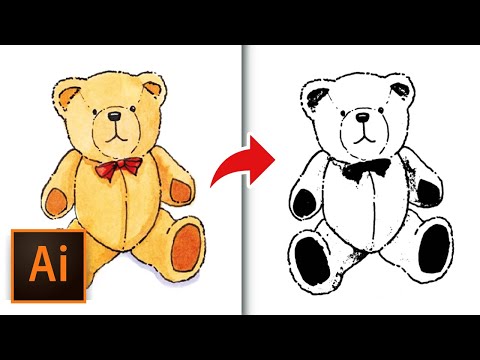
In this video tutorial we will show you how to use illustrator live trace.
Launch the Adobe Illustrator. Go to "File" menu, click "open" and choose the image you want to use. Then, go to the "Window" menu and choose "Image Trace".
In appeared tab you can choose "Mode". Then, you can select a tracing preset from the list. If you see the appeared warning window, press "Ok". When the tracing is done, you can press and hold on an eye icon to view source image. Press an arrow near "Advanced" menu option. In popup menu you can choose settings you need and they would apply to the image automatically.
You can adjust "Threshold" option with the slider. To convert tracing object into paths, press "Expand" on the "Image tracing" toolbar.
In this video tutorial we will show you how to use illustrator live trace.
Launch the Adobe Illustrator. Go to "File" menu, click "open" and choose the image you want to use. Then, go to the "Window" menu and choose "Image Trace".
In appeared tab you can choose "Mode". Then, you can select a tracing preset from the list. If you see the appeared warning window, press "Ok". When the tracing is done, you can press and hold on an eye icon to view source image. Press an arrow near "Advanced" menu option. In popup menu you can choose settings you need and they would apply to the image automatically.
You can adjust "Threshold" option with the slider. To convert tracing object into paths, press "Expand" on the "Image tracing" toolbar.
About this tutorial
Photoshop Design and Photo editing Tutorials from HowTech published this 1:08 video tutorial on November 8, 2013. It has been watched 846,306 times on YouTube.
- Category
- Howto & Style
- Duration
- 1:08
- Published
- November 8, 2013
- Views
- 846,306
- Likes
- 1,440
Share
This tutorial in other languages
- FRComment utiliser Live Trace dans Illustrator
- ESCómo utilizar Calco en Illustrator
- PTComo usar Traçado em Illustrator
- ITCome utilizzare Live Trace di Illustrator
- DEWie zu verwenden Live-Trace in Illustrator
- NLHoe te gebruiken Actief overtrekken in Illustrator
- RUКак использовать живые трассировки в Illustrator
- PLJak korzystać żywo śladu w programie Illustrator
- JAどのようにIllustratorで使用ライブトレースへ
- ARكيفية استخدام لايف تتبع المصور
- HIकैसे Illustrator में उपयोग लाइव ट्रेस करने के लिए
- IDCara Gunakan Hidup Jejak di Illustrator