Playback starts YouTube’s embedded player (privacy-enhanced mode).
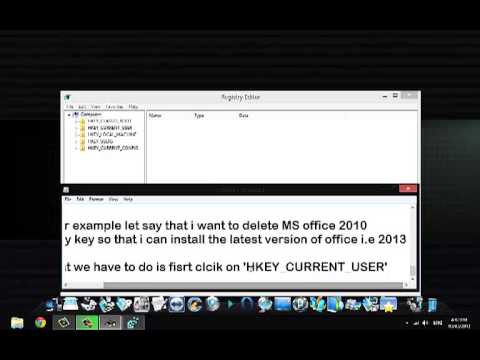
How to Delete Software registry keys from System registry on windows
ChannelSoftware StreetDescription from the creator
In this short tutorial i have shown how to delete or clean Registry keys of any software from your windows with registry editor. Cleaning Registry keys helps avoiding errors like 'Fake serial key', 'Invalid keys', 'invalid Product key', 'wrong serial number', kind of errors specially if u use cracked/patched softwares on your computer.
UNABLE TO DELETE REGISTRY FILES IN REGISTRY EDITOR? FOLLOW THE BELOW STEPS TO FIX THE ISSUE.
1. Open Registry Editor. -Right click Office registry key again Select Permission..Click on 'Advance' Tab below. New window opens.. Click on 'Owner' tab Click and Highlight your Username or Administrator. Click 'Apply' & 'OK' (if you don't see owner tab that means you are already in the owner's list.Skips the above steps in this case).
2. Right Click Office Reg Key again.. Select Permission..Click on 'Advance' tab. Uncheck 'Include inheritable permissions frm this object's parent',box below. Click on 'Add'. (Click on Add in the Warning dialogue box too if pops up) Now being under permission tab,Click and highlight your Username from the list of names.. Click on 'Edit'. button. Check on 'Full control' box. check on 'Replace all child object permissions with inheritable permissions from this object' box. Click 'Apply' & 'OK'.
Now go and try to delete your Reg key..
UNABLE TO DELETE REGISTRY FILES IN REGISTRY EDITOR? FOLLOW THE BELOW STEPS TO FIX THE ISSUE.
1. Open Registry Editor. -Right click Office registry key again Select Permission..Click on 'Advance' Tab below. New window opens.. Click on 'Owner' tab Click and Highlight your Username or Administrator. Click 'Apply' & 'OK' (if you don't see owner tab that means you are already in the owner's list.Skips the above steps in this case).
2. Right Click Office Reg Key again.. Select Permission..Click on 'Advance' tab. Uncheck 'Include inheritable permissions frm this object's parent',box below. Click on 'Add'. (Click on Add in the Warning dialogue box too if pops up) Now being under permission tab,Click and highlight your Username from the list of names.. Click on 'Edit'. button. Check on 'Full control' box. check on 'Replace all child object permissions with inheritable permissions from this object' box. Click 'Apply' & 'OK'.
Now go and try to delete your Reg key..
About this tutorial
Software Street published this 5:13 video tutorial on November 6, 2013. It has been watched 399,775 times on YouTube.
- Channel
- Software Street
- Category
- People & Blogs
- Duration
- 5:13
- Published
- November 6, 2013
- Views
- 399,775
- Likes
- 1,675
Tags
Share
This tutorial in other languages
- FRComment supprimer les clés de Registre logiciel de Registre système sur Windows
- ESCómo eliminar las claves de registro de software de registro del sistema de ventanas
- PTComo excluir chaves de registro de software de registro do sistema no Windows
- ITCome eliminare software chiavi di registro dal Registro di sistema in Windows
- DEWie man Software-Registrierungsschlüssel aus System-Registry auf Windows löschen
- NLHoe te verwijderen Software registersleutels van System register op windows
- RUКак удалить ключи реестра программного обеспечения из реестра системы на окнах
- PLJak usunąć oprogramowanie do kluczy rejestru z rejestru systemowego na oknach
- JAWindows上のシステムレジストリからソフトウェアのレジストリキーを削除する方法
- ARكيفية حذف مفاتيح التسجيل البرامج من تسجيل النظام على ويندوز
- HIखिड़कियों पर सिस्टम रजिस्ट्री से सॉफ्टवेयर रजिस्ट्री कुंजियों को हटाने के लिए कैसे
- IDCara Hapus Software kunci registri dari registri Sistem pada windows