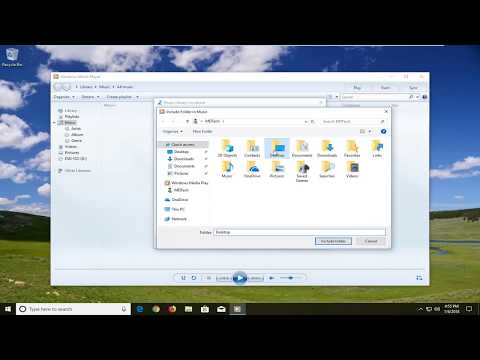
Playback starts YouTube’s embedded player (privacy-enhanced mode).
How to Add Music to the Windows Media Player Library
ChannelMDTechVideosDescription from the creator
How to Add Music to the Windows Media Player Library.
Listening to the songs on your computer via Windows Media Player is pretty easy – all you have to do is play a song and make sure it is configured to play through Windows Media Player. However, what if you want to start playing a song you have on your computer from within Windows Media Player – what then? Well, to play a specific song from within Windows Media Player, you need to find the song in WMP’s library and play it from there. However, unfortunately, Windows Media Player does not add all of the songs you have on your computer to its library – this needs to be done manually.
Adding music to the Windows Media Player library allows you to organize and easily access your favorite songs and albums in one central location. By incorporating your music collection into the library, you can quickly play, manage, and create playlists, enhancing your overall media experience. This process can be done by either manually adding individual files or by adding entire folders to ensure that all of your music files are recognized. Understanding how to update and refresh your library will help ensure all new tracks are automatically included in your collection.
To be able to play songs you have on your computer from within Windows Media Player, you need to first add those songs to Windows Media Player’s library so that you can easily access them. Adding music to the Windows Media Player, thankfully, is pretty simple and straightforward. If you would like to add songs that are stored in a location on your computer to your Windows Media Player library, this tutorial will be for you.
This tutorial will apply for computers, laptops, desktops, and tablets running the Windows 10, Windows 8/8.1, Windows 7 operating systems. Works for all major computer manufactures (Dell, HP, Acer, Asus, Toshiba, Lenovo, Samsung).
Listening to the songs on your computer via Windows Media Player is pretty easy – all you have to do is play a song and make sure it is configured to play through Windows Media Player. However, what if you want to start playing a song you have on your computer from within Windows Media Player – what then? Well, to play a specific song from within Windows Media Player, you need to find the song in WMP’s library and play it from there. However, unfortunately, Windows Media Player does not add all of the songs you have on your computer to its library – this needs to be done manually.
Adding music to the Windows Media Player library allows you to organize and easily access your favorite songs and albums in one central location. By incorporating your music collection into the library, you can quickly play, manage, and create playlists, enhancing your overall media experience. This process can be done by either manually adding individual files or by adding entire folders to ensure that all of your music files are recognized. Understanding how to update and refresh your library will help ensure all new tracks are automatically included in your collection.
To be able to play songs you have on your computer from within Windows Media Player, you need to first add those songs to Windows Media Player’s library so that you can easily access them. Adding music to the Windows Media Player, thankfully, is pretty simple and straightforward. If you would like to add songs that are stored in a location on your computer to your Windows Media Player library, this tutorial will be for you.
This tutorial will apply for computers, laptops, desktops, and tablets running the Windows 10, Windows 8/8.1, Windows 7 operating systems. Works for all major computer manufactures (Dell, HP, Acer, Asus, Toshiba, Lenovo, Samsung).
About this tutorial
MDTechVideos published this 2:12 video tutorial on October 31, 2019. It has been watched 1,333,340 times on YouTube.
- Channel
- MDTechVideos
- Category
- Science & Technology
- Duration
- 2:12
- Published
- October 31, 2019
- Views
- 1,333,340
- Likes
- 7,672
Tags
Share
This tutorial in other languages
- FRComment ajouter de la musique sur le lecteur Windows Media Library
- ESCómo agregar música a la biblioteca del Reproductor de Windows
- PTComo adicionar música à biblioteca do Windows Media Player
- ITCome aggiungere musica al Media Player multimediale di Windows
- DEWie Musik in den Windows Media Player-Bibliothek hinzufügen
- NLHoe kan ik muziek toevoegen aan de Windows Media Player-bibliotheek
- RUКак добавить музыку к библиотеке проигрывателя Windows Media
- PLJak dodać muzykę do biblioteki programu Windows Media Player
- JAWindows Media Playerのライブラリに音楽を追加する方法
- ARكيفية إضافة الموسيقى إلى مكتبة ويندوز ميديا بلاير
- HIकैसे विंडोज मीडिया प्लेयर लायब्रेरी में संगीत जोड़ें करने के लिए
- IDBagaimana Tambahkan Musik ke Windows Media Player Library