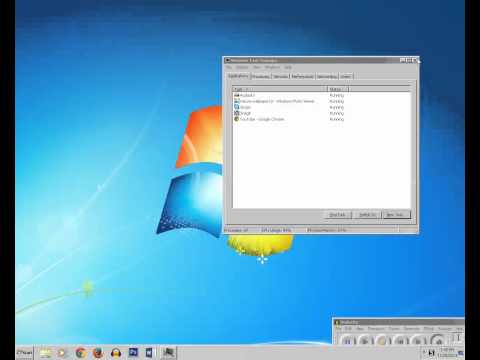
Playback starts YouTube’s embedded player (privacy-enhanced mode).
How to bring back the missing taskbar and desktop icons
ChannelKundan BhattaraiDescription from the creator
If the taskbar and the desktop icons are missing then you can bring it back by this method. May be you accidentally closed explorer.exe process. Runt it again
About this tutorial
Kundan Bhattarai published this 2:00 video tutorial on November 13, 2015. It has been watched 214,591 times on YouTube.
- Channel
- Kundan Bhattarai
- Category
- Science & Technology
- Duration
- 2:00
- Published
- November 13, 2015
- Views
- 214,591
- Likes
- 1,480
Tags
Share
This tutorial in other languages
- FRComment ramener la barre des tâches manquantes et les icônes de bureau
- ESCómo recuperar los iconos de la barra de tareas y de escritorio que faltan
- PTComo trazer de volta os que faltam ícones da barra de tarefas e desktop
- ITCome riportare la barra delle applicazioni e desktop icone mancanti
- DEWie bringen Sie die fehlende Taskleiste und Desktop-Icons zurück
- NLHoe kan ik terug de ontbrekende taakbalk en pictogrammen op het bureaublad te brengen
- RUКак вернуть пропавшие панель задач и значки на рабочем столе
- PLJak przywrócić brakujące ikony pulpitu i paska zadań
- JA不足しているタスクバーやデスクトップのアイコンを戻す方法
- ARكيفية اعادة المفقودين شريط المهام وسطح المكتب الرموز
- HIवापस लापता टास्कबार और डेस्कटॉप चिह्न लाने के लिए कैसे
- IDBagaimana untuk membawa kembali hilang taskbar dan ikon desktop