Playback starts YouTube’s embedded player (privacy-enhanced mode).
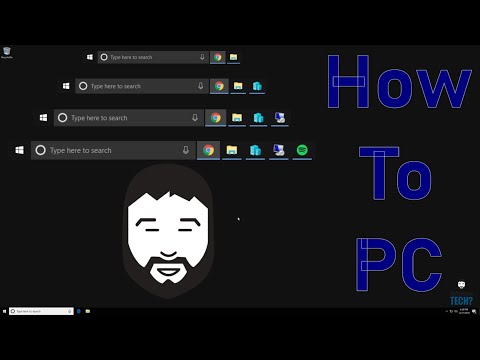
How to PC - Edit and Size Desktop / Taskbar Icons
ChannelDoYouEvenTechDescription from the creator
Sometimes as Microsoft changes windows things that were previously pretty easy to do get modified. Adding a desktop icon or shortcut is one of those things. We will show you how to add icons to the taskbar and to the desktop.
ALWAYS be sure to backup data before attempting PC repair or data organization/deletion to avoid losing your data.
"How to PC" is a video series for people who just want to increase their knowledge of computers. Desktop, Laptop, Tablet, or VM doesn't matter they are all a part of the PC family! We will focus primarily on inbuilt programs and features in Windows 10, but will not limit ourselves to that. Windows 8.1, Windows 8, Windows 7, etc. all have several similarities so even though I am demonstrating on Windows 10 the process can be very similar if not identical on the others.
Useful Links
---------------------------------------------------------------------------
Get Connected to DoYouEvenTech
Facebook: facebook.com/DoYouEvenTech
Instagram: instagram.com/doyoueventech
Twitter: twitter.com/DoYouEvenTech_M
Support DoYouEvenTech
Patreon: patreon.com/doyoueventech
Website is in the works! (in progress)
doyoueventech.com
---------------------------------------------------------------------------
Disclaimer:
DoYouEvenTech and associated parties believe that transparency and honesty are important characteristics to uphold. Articles and Videos regardless of the subject whether it be product reviews, informational instructions, or technology information as well as other topics that might be covered can a no way cover every situation or unique circumstance that can be experienced by each user. When users are able to self evaluate a product or problem it is out of the professionals control to ensure proper repair, therefor all data provided must be for informational purposes and you should seek one on one professional help if you are not comfortable with the responsibility.
ALWAYS be sure to backup data before attempting PC repair or data organization/deletion to avoid losing your data.
"How to PC" is a video series for people who just want to increase their knowledge of computers. Desktop, Laptop, Tablet, or VM doesn't matter they are all a part of the PC family! We will focus primarily on inbuilt programs and features in Windows 10, but will not limit ourselves to that. Windows 8.1, Windows 8, Windows 7, etc. all have several similarities so even though I am demonstrating on Windows 10 the process can be very similar if not identical on the others.
Useful Links
---------------------------------------------------------------------------
Get Connected to DoYouEvenTech
Facebook: facebook.com/DoYouEvenTech
Instagram: instagram.com/doyoueventech
Twitter: twitter.com/DoYouEvenTech_M
Support DoYouEvenTech
Patreon: patreon.com/doyoueventech
Website is in the works! (in progress)
doyoueventech.com
---------------------------------------------------------------------------
Disclaimer:
DoYouEvenTech and associated parties believe that transparency and honesty are important characteristics to uphold. Articles and Videos regardless of the subject whether it be product reviews, informational instructions, or technology information as well as other topics that might be covered can a no way cover every situation or unique circumstance that can be experienced by each user. When users are able to self evaluate a product or problem it is out of the professionals control to ensure proper repair, therefor all data provided must be for informational purposes and you should seek one on one professional help if you are not comfortable with the responsibility.
About this tutorial
DoYouEvenTech published this 2:21 video tutorial on November 2, 2019. It has been watched 96 times on YouTube.
- Channel
- DoYouEvenTech
- Category
- Science & Technology
- Duration
- 2:21
- Published
- November 2, 2019
- Views
- 96
- Likes
- 2
Tags
Share
This tutorial in other languages
- FRComment PC - Edition et Taille Bureau / Taskbar Icônes
- ESCómo PC - Editar y tamaño de escritorio / barra de tareas Iconos
- PTComo PC - Edit e tamanho do desktop / ícones da barra de tarefas
- ITCome PC - Modifica e dimensione desktop / barra delle applicazioni Icone
- DEWie zu PC - Bearbeiten und Größe Desktop / Taskbar Icons
- NLHoe maak je PC - Grootte Desktop / Taakbalkpictogrammen Bewerken en
- RUКак ПК - Редактирование и размер рабочего стола / Панель задач
- PLJak PC - Edycja i rozmiar pulpitu / Ikony paska zadań
- JAどのようにPCへ - 編集とサイズのデスクトップ/タスクバーのアイコン
- ARكيفية PC - تحرير وحجم سطح المكتب / رموز شريط المهام
- HIकैसे पीसी के लिए - संपादित करें और आकार डेस्कटॉप / टास्कबार प्रतीक
- IDCara PC - Mengedit dan Ukuran Desktop / Taskbar Ikon