Playback starts YouTube’s embedded player (privacy-enhanced mode).
How To Change Download Location For Files In Microsoft Edge
ChannelMDTechVideosDescription from the creator
How to change default download location in Windows 10 for the Microsoft Edge web browser.
By default, Windows 10's Edge Browser saves your downloads to the "Downloads" folder under your profile. This tutorial will show how to change the default download location of files. Please follow the steps directly show in the video and do not edit the registry if you are uncomfortable with doing so.
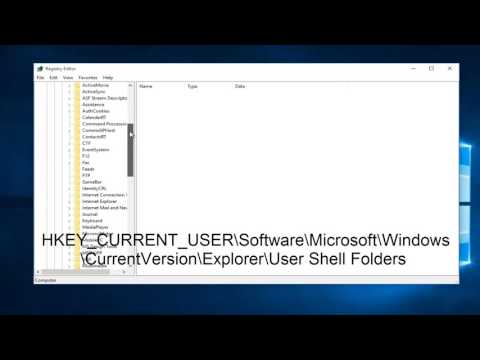
Registry Editor Location Used In Video:
HKEY_CURRENT_USER\Software\Microsoft\Windows\CurrentVersion\Explorer\User Shell Folders
This tutorial will apply for computers, laptops, desktops, and tablets running the Windows 10 operating system (Home, Professional, Enterprise, Education)
Both Internet Explorer and Microsoft Edge are configured to download files to the user's download folder by default.
The location does not change across devices, so that Windows users know where to look when it comes to locating downloaded files on Windows machines.
While convenient, the downloads folder may not always be the best location for downloads. This can be the case if the main partition of the computer is rather small size-wise. If you ever tried to download a Windows ISO image or another file that is at least several Gigabytes in size, you know that space can be an issue in these cases.
You may change the save location for downloads both in Internet Explorer and Microsoft Edge. The options to do so are somewhat hidden though, hence this tutorial.
This tutorial will apply for computers, laptops, desktops,and tablets running the Windows 10 operating system (Home, Professional, Enterprise, Education) from all supported hardware manufactures, like Dell, HP, Acer, Asus, Toshiba,Lenovo, and Samsung).
By default, Windows 10's Edge Browser saves your downloads to the "Downloads" folder under your profile. This tutorial will show how to change the default download location of files. Please follow the steps directly show in the video and do not edit the registry if you are uncomfortable with doing so.
Registry Editor Location Used In Video:
HKEY_CURRENT_USER\Software\Microsoft\Windows\CurrentVersion\Explorer\User Shell Folders
This tutorial will apply for computers, laptops, desktops, and tablets running the Windows 10 operating system (Home, Professional, Enterprise, Education)
Both Internet Explorer and Microsoft Edge are configured to download files to the user's download folder by default.
The location does not change across devices, so that Windows users know where to look when it comes to locating downloaded files on Windows machines.
While convenient, the downloads folder may not always be the best location for downloads. This can be the case if the main partition of the computer is rather small size-wise. If you ever tried to download a Windows ISO image or another file that is at least several Gigabytes in size, you know that space can be an issue in these cases.
You may change the save location for downloads both in Internet Explorer and Microsoft Edge. The options to do so are somewhat hidden though, hence this tutorial.
This tutorial will apply for computers, laptops, desktops,and tablets running the Windows 10 operating system (Home, Professional, Enterprise, Education) from all supported hardware manufactures, like Dell, HP, Acer, Asus, Toshiba,Lenovo, and Samsung).
About this tutorial
MDTechVideos published this 5:00 video tutorial on November 10, 2016. It has been watched 10,373 times on YouTube.
- Channel
- MDTechVideos
- Category
- Science & Technology
- Duration
- 5:00
- Published
- November 10, 2016
- Views
- 10,373
- Likes
- 84
Share
This tutorial in other languages
- FRComment faire pour changer Emplacement de téléchargement des fichiers dans Microsoft bord
- ES¿Cómo cambiar la ubicación de descarga de archivos en Microsoft Edge
- PTComo mudar local de download para os arquivos na Microsoft Edge
- ITCome cambiare posizione di download per i file in Microsoft Edge
- DEWie Ändern Download-Standort-Dateien in Microsoft Edge
- NLHow To Change Downloadlocatie voor bestanden in Microsoft Edge
- RUКак изменить папку загрузки файлов в Microsoft Краю
- PLJak zmienić lokalizację dla pobierania plików w Microsoft Edge
- JAファイルには、マイクロソフトのエッジについてはどのように変更ダウンロード場所
- ARكيفية تغيير موقع تحميل للملفات في مايكروسوفت إيدج
- HIकैसे डाउनलोड करने के लिए स्थान बदलें फ़ाइलें में माइक्रोसॉफ्ट एज के लिए
- IDCara Ganti Lokasi Download Untuk File Pada Microsoft Edge