Playback starts YouTube’s embedded player (privacy-enhanced mode).
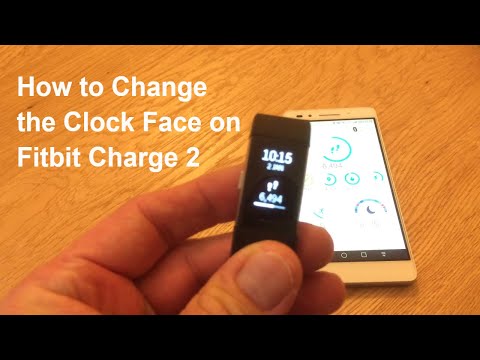
How to Change the Clock Face on a Fitbit Charge 2
ChannelThe Tech GuruDescription from the creator
The Fitbit app used and shown in this video was on a Huawei Honor 7 Android phone.
I've recently acquired a Fitbit Charge 2 Tracker and just wanted to share with you some tips for changing the clock face. There were more options than I realised!
From showing everything including time, date, steps and heart rate on one display to just showing purely the time and date on another, there are around 11 different clock options. Within these, there's a choice of an analogue display, plenty of digital displays and even an option to display the time in words.
As shown in the video, it's straightforward to change the clock face on a Fitbit Charge 2:
- Make sure that your Fitbit Charge 2 is close
- Go onto the app
- Click on the black device at the top right of the screen
- When the page opens, scroll down to clock display - select a style for your clock
- Simply Scroll left and right to choose the clock face you require. Click on the one required and it will be highlighted.
- Click choose at footer of page
- This then takes you back to the previous page
- Scroll back up to look at the sync status. This normally updates straightaway although you may have to press the sync button to update depending on your sync settings.
- If your Fitbit is with you, and device is synced, the update should take place immediately.
- All done, you're good to go!
If you like what you've seen today, please subscribe to my channel to see more 'how to's' and product reviews in future.
Thanks for coming by to watch my video on how to change the clock face on a Fitbit Charge 2.
I've recently acquired a Fitbit Charge 2 Tracker and just wanted to share with you some tips for changing the clock face. There were more options than I realised!
From showing everything including time, date, steps and heart rate on one display to just showing purely the time and date on another, there are around 11 different clock options. Within these, there's a choice of an analogue display, plenty of digital displays and even an option to display the time in words.
As shown in the video, it's straightforward to change the clock face on a Fitbit Charge 2:
- Make sure that your Fitbit Charge 2 is close
- Go onto the app
- Click on the black device at the top right of the screen
- When the page opens, scroll down to clock display - select a style for your clock
- Simply Scroll left and right to choose the clock face you require. Click on the one required and it will be highlighted.
- Click choose at footer of page
- This then takes you back to the previous page
- Scroll back up to look at the sync status. This normally updates straightaway although you may have to press the sync button to update depending on your sync settings.
- If your Fitbit is with you, and device is synced, the update should take place immediately.
- All done, you're good to go!
If you like what you've seen today, please subscribe to my channel to see more 'how to's' and product reviews in future.
Thanks for coming by to watch my video on how to change the clock face on a Fitbit Charge 2.
About this tutorial
The Tech Guru published this 4:00 video tutorial on October 28, 2018. It has been watched 73,691 times on YouTube.
- Channel
- The Tech Guru
- Category
- Science & Technology
- Duration
- 4:00
- Published
- October 28, 2018
- Views
- 73,691
- Likes
- 241
Tags
Share
This tutorial in other languages
- FRComment changer le visage d'horloge sur une charge Fitbit 2
- ESCómo cambiar la esfera del reloj en un Fitbit Carga 2
- PTComo alterar o mostrador do relógio em uma Fitbit carga 2
- ITCome modificare il quadrante dell'orologio su una carica 2 Fitbit
- DEWie das Zifferblatt auf einem Fitbit Charge 2 ändern
- NLHoe de display aanpassen op een Fitbit Charge 2
- RUКак изменить циферблат на FitBit Charge 2
- PLJak zmienić twarz zegar na Fitbit opłat 2
- JAFitbitチャージ2上の時計の顔を変更する方法
- ARكيفية تغيير الوجه ساعة على فيتبيت الاتهام 2
- HIकैसे एक Fitbit प्रभार 2 पर घड़ी चेहरा बदलने की
- IDCara Mengubah Tampilan Jam pada Fitbit Charge 2