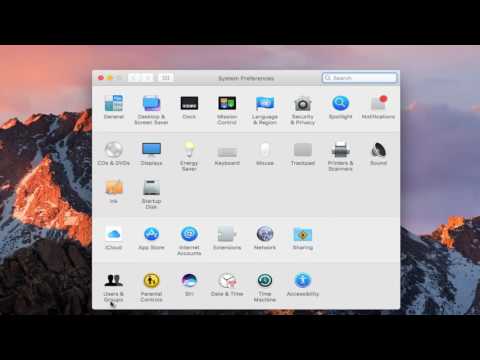
Playback starts YouTube’s embedded player (privacy-enhanced mode).
How To Disable Startup Programs In macOS Sierra
ChannelMDTechVideosDescription from the creator
How to speed up macOS by disabling unnecessary or old startup items that are no longer necessary on your device.
This tutorial will apply for MacBook Pro, MacBook Air, MacBook Mini's running the macOS operating system.
Devices covered in this tutorial: macOS, macOS Big Sur, MacBook Pro, MacBook Air, MacBook Mini
This tutorial will apply for MacBook Pro, MacBook Air, MacBook Mini's running the macOS operating system.
Devices covered in this tutorial: macOS, macOS Big Sur, MacBook Pro, MacBook Air, MacBook Mini
About this tutorial
MDTechVideos published this 2:42 video tutorial on October 29, 2017. It has been watched 145,325 times on YouTube.
- Channel
- MDTechVideos
- Category
- Science & Technology
- Duration
- 2:42
- Published
- October 29, 2017
- Views
- 145,325
- Likes
- 891
Tags
Share
This tutorial in other languages
- FRComment désactiver les programmes de démarrage Dans macOS Sierra
- ESCómo deshabilitar los programas de inicio En macOS Sierra
- PTComo desativar programas de inicialização no MacOS Sierra
- ITCome disattivare i programmi di avvio in MacOS Sierra
- DESo deaktivieren Sie Autostart-Programme In macOS Sierra
- NLHow To Disable Startup Programs In MacOS Sierra
- RUКак отключить запуск программ в MacOS Sierra
- PLJak wyłączyć Programy startowe MacOS Sierra
- JAどのようにするには無効にスタートアッププログラムにはMacOSのシエラ
- ARكيفية تعطيل برامج بدء التشغيل في ماك سييرا
- HIकैसे करने के लिए अक्षम स्टार्टअप प्रोग्राम में MacOS सिएरा
- IDCara Disable Startup Program Di MacOS Sierra