Playback starts YouTube’s embedded player (privacy-enhanced mode).
How to Restore a Broken iPod
ChannelMartin NobelDescription from the creator
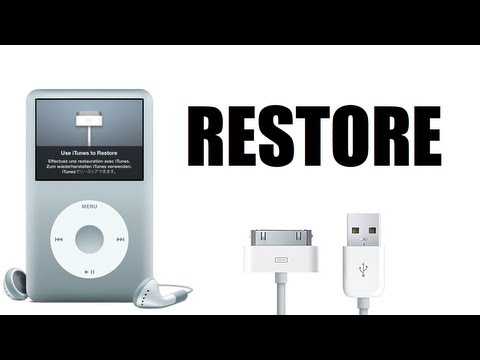
Did you ever wake up to realise that the words, "Use iTunes to restore" appear on your iPod screen? Well you can now restore your iPod when that message appears.
Step 1: Turn on iPod and wait until the "Use iTunes to restore" message appears.
Step 2: Plug in your iPod 30-pin connector to your iPod and to your computer.
Step 3: Restore iPod via iTunes by clicking on the "Restore" button.
Your iPod will automatically restore.
Do not interrupt the restore process whatsoever. You will regret it.
Step 1: Turn on iPod and wait until the "Use iTunes to restore" message appears.
Step 2: Plug in your iPod 30-pin connector to your iPod and to your computer.
Step 3: Restore iPod via iTunes by clicking on the "Restore" button.
Your iPod will automatically restore.
Do not interrupt the restore process whatsoever. You will regret it.
About this tutorial
Martin Nobel published this 2:36 video tutorial on November 3, 2013. It has been watched 271,028 times on YouTube.
- Channel
- Martin Nobel
- Category
- Science & Technology
- Duration
- 2:36
- Published
- November 3, 2013
- Views
- 271,028
Tags
Share
This tutorial in other languages
- FRComment restaurer un iPod cassé
- ESCómo restaurar un iPod roto
- PTComo restaurar um iPod quebrado
- ITCome ripristinare un iPod rotto
- DEWie ein gebrochener iPod wiederherstellen
- NLHoe maak je een Broken iPod herstellen
- RUКак восстановить неработающей IPOD
- PLJak przywrócić złamaną iPod
- JA壊れたiPodを復元する方法
- ARكيفية استعادة المكسور بود
- HIएक टूटे आइपॉड पुनर्स्थापित कैसे
- IDCara Kembalikan Patah iPod