Playback starts YouTube’s embedded player (privacy-enhanced mode).
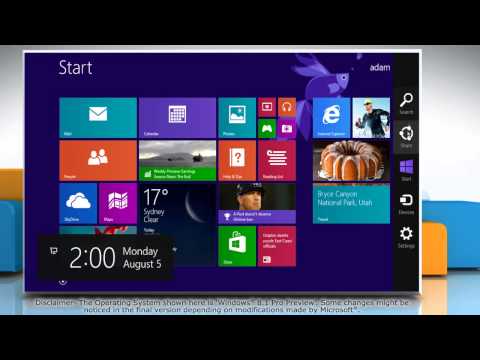
How to turn Sticky Keys on and off in Windows® 8.1
ChannelHow-To GuideDescription from the creator
If you wish to turn on and off the Sticky Keys feature in Windows® 8.1, then follow the easy steps shown in this video.
Content in this video is provided on an ""as is"" basis with no express or implied warranties whatsoever. Any reference of any third party logos, brand names, trademarks, services marks, trade names, trade dress and copyrights shall not imply any affiliation to such third parties, unless expressly specified.
Content in this video is provided on an ""as is"" basis with no express or implied warranties whatsoever. Any reference of any third party logos, brand names, trademarks, services marks, trade names, trade dress and copyrights shall not imply any affiliation to such third parties, unless expressly specified.
About this tutorial
How-To Guide published this 0:54 video tutorial on November 8, 2013. It has been watched 18,136 times on YouTube.
- Channel
- How-To Guide
- Category
- Science & Technology
- Duration
- 0:54
- Published
- November 8, 2013
- Views
- 18,136
- Likes
- 119
Tags
Share
This tutorial in other languages
- FRComment faire pour activer les touches rémanentes et hors sous Windows® 8.1
- ESCómo activar Teclas de encendido y apagado en Windows 8.1
- PTComo transformar Sticky Keys e desligado no Windows® 8.1
- ITCome attivare Tasti e disattivare in Windows 8.1
- DEWie drehen Sticky Keys ein und aus in Windows® 8.1
- NLHoe kan Sticky Keys en uit te schakelen in Windows 8.1
- RUКак включить залипания клавиш включения и выключения в Windows® 8.1
- PLJak włączyć Sticky Keys i wyłączyć w Windows 8.1
- JAWindows®の8.1でオンとオフスティッキーキーをオンにする方法
- ARكيفية تشغيل مفاتيح مثبت على نحو متقطع في ويندوز 8.1
- HIविंडोज 8.1 में चालू और बंद स्टिकी कुंजियाँ चालू करने के लिए कैसे
- IDCara mengaktifkan Sticky Keys dan mematikan di Windows 8.1