Playback starts YouTube’s embedded player (privacy-enhanced mode).
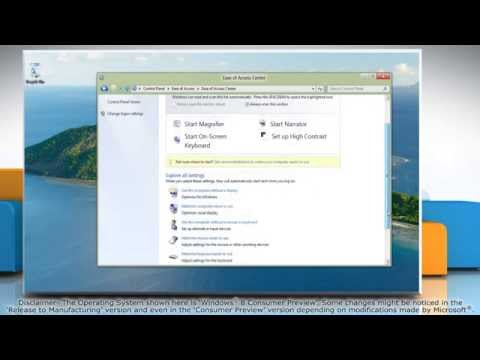
How to Turn Sticky Keys ON and OFF in Windows® 8
ChannelHow-To GuideDescription from the creator
Do you want to avoid having to press multiple keys at a time. You can turn on Sticky keys and then press keys like 'Shift', 'Ctrl', 'Alt' and the 'Windows Key' and have it remain active until another key is pressed. Watch this video for the steps to turn Sticky Keys on and off in Windows® 8.
------------------------------------------------------------------------------------------
Useful videos :
youtube.com/watch?v=8QutAGmSpKg (turn off Compatibility View )
youtube.com/watch?v=4vzPn5dxTOg (Unable to Receive Emails on Gmail®)
youtube.com/watch?v=oj7bTQhOD_4 (allow sites to access your camera and microphone )
Content in this video is provided on an "as is" basis with no express or implied warranties whatsoever. Any reference of any third party logos, brand names, trademarks, services marks, trade names, trade dress and copyrights shall not imply any affiliation to such third parties, unless expressly specified.
Try out our "TechGenie Antivirus" for FREE!! techgenie.com/antivirusyoutube
Try out our "TechGenie PC Optimizer" for FREE!! techgenie.com/pcoptimizeryoutube
------------------------------------------------------------------------------------------
Useful videos :
youtube.com/watch?v=8QutAGmSpKg (turn off Compatibility View )
youtube.com/watch?v=4vzPn5dxTOg (Unable to Receive Emails on Gmail®)
youtube.com/watch?v=oj7bTQhOD_4 (allow sites to access your camera and microphone )
Content in this video is provided on an "as is" basis with no express or implied warranties whatsoever. Any reference of any third party logos, brand names, trademarks, services marks, trade names, trade dress and copyrights shall not imply any affiliation to such third parties, unless expressly specified.
Try out our "TechGenie Antivirus" for FREE!! techgenie.com/antivirusyoutube
Try out our "TechGenie PC Optimizer" for FREE!! techgenie.com/pcoptimizeryoutube
About this tutorial
How-To Guide published this 1:18 video tutorial on November 8, 2012. It has been watched 78,714 times on YouTube.
- Channel
- How-To Guide
- Category
- Science & Technology
- Duration
- 1:18
- Published
- November 8, 2012
- Views
- 78,714
- Likes
- 283
Tags
Share
This tutorial in other languages
- FRComment faire pour activer les touches rémanentes et OFF sous Windows® 8
- ESCómo activar las teclas persistentes y desactivar en Windows 8
- PTComo transformar Sticky Keys ON e OFF no Windows® 8
- ITCome trasformare Tasti ON e OFF in Windows® 8
- DESo deaktivieren Einfingerbedienung ON und OFF in Windows® 8
- NLHow To Turn Sticky Keys aan en uit in Windows 8
- RUКак включить залипание клавиш включения и выключения в Windows® 8
- PLJak włączyć Sticky Keys i wyłączyć w Windows 8
- JAWindows®の8にスティッキーキーONとOFFを有効にする方法
- ARكيفية تشغيل مثبت مفاتيح ON OFF وفي ويندوز 8
- HIचालू करने के लिए कैसे स्टिकी कुंजियाँ चालू और बंद विंडोज 8 में
- IDBagaimana Turn Sticky Keys ON dan OFF di Windows 8