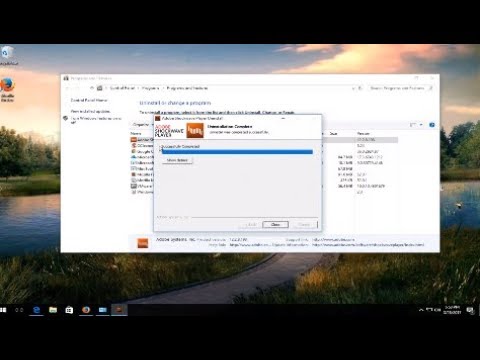
Playback starts YouTube’s embedded player (privacy-enhanced mode).
How To Uninstall the Adobe Shockwave Plug in
ChannelMDTechVideosDescription from the creator
How to uninstall Adobe Shockwave.
Description of software:
Adobe Shockwave (formerly Macromedia Shockwave) is a multimedia platform for building interactive multimedia applications and video games. Developers originate content using Adobe Director and publish it on the Internet. Such content can be viewed in a web browser on any computer with the Shockwave Player plug-in installed. Macromind originated the technology; Macromedia developed it further, releasing Shockwave Player in 1995. Adobe Systems acquired Shockwave in 2005
Flash and Shockwave from Adobe are two major elements of almost all standard web browsers that help users to view moving content such as online games, videos, presentations, advertisements and more. These two pieces of code have been a major part of almost all browsers to display rich media files, bring web applications, etc. However, nowadays web browser development companies are trying to suppress the usage of those players since more websites are moving from Flash to HTML (For instance, YouTube).
Users of Adobe Flash Player gets access to rich web content, designs, animations, and application user interfaces.
Users of Adobe Shockwave Player have access to web content like dazzling 3D games and entertainment, interactive product demonstrations, and online learning applications. It bundles a component of Adobe Flash & displays web content that has been created using Adobe Director.
Should I uninstall Adobe Shockwave or Flash Player?
But there are security concerns involved if you have these two products installed on your computer. Every other week you hear of some ‘critical vulnerability found in Adobe‘ news, which eventually does get patched. You may have noticed that security updates for Flash are released more often, whereas they seem to be less frequent for Shockwave. As a result of this, it is highly recommended that you do not have these installed on your computer – and if you do decide that you need to have it installed, make sure that it is always updated to its latest version and you are familiar with its settings.
If you decide to uninstall them for security reasons or if you have any problems, then this post will show you how to disable or uninstall Flash Player or Shockwave Player in Chrome, Internet Explorer, Firefox, or Edge browsers.
Before that, maybe you want to check if you have Flash & Shockwave on your PC.
Do I have Adobe Flash Player installed?
If you see an Adobe Flash entry in Programs & Features applet of your Control Panel, or if you see Adobe Flash installed as an add-on or extension in your browser’s add-on manager, then you have Flash installed on your computer.
If you want to be sure, visit this link to see if Flash is present on your PC.
This tutorial will apply for computers, laptops, desktops,
and tablets running the Windows 10, Windows 8/8.1,
Windows 7 operating systems.Works for all major computer manufactures (Dell, HP, Acer, Asus, Toshiba, Lenovo, Samsung)
Description of software:
Adobe Shockwave (formerly Macromedia Shockwave) is a multimedia platform for building interactive multimedia applications and video games. Developers originate content using Adobe Director and publish it on the Internet. Such content can be viewed in a web browser on any computer with the Shockwave Player plug-in installed. Macromind originated the technology; Macromedia developed it further, releasing Shockwave Player in 1995. Adobe Systems acquired Shockwave in 2005
Flash and Shockwave from Adobe are two major elements of almost all standard web browsers that help users to view moving content such as online games, videos, presentations, advertisements and more. These two pieces of code have been a major part of almost all browsers to display rich media files, bring web applications, etc. However, nowadays web browser development companies are trying to suppress the usage of those players since more websites are moving from Flash to HTML (For instance, YouTube).
Users of Adobe Flash Player gets access to rich web content, designs, animations, and application user interfaces.
Users of Adobe Shockwave Player have access to web content like dazzling 3D games and entertainment, interactive product demonstrations, and online learning applications. It bundles a component of Adobe Flash & displays web content that has been created using Adobe Director.
Should I uninstall Adobe Shockwave or Flash Player?
But there are security concerns involved if you have these two products installed on your computer. Every other week you hear of some ‘critical vulnerability found in Adobe‘ news, which eventually does get patched. You may have noticed that security updates for Flash are released more often, whereas they seem to be less frequent for Shockwave. As a result of this, it is highly recommended that you do not have these installed on your computer – and if you do decide that you need to have it installed, make sure that it is always updated to its latest version and you are familiar with its settings.
If you decide to uninstall them for security reasons or if you have any problems, then this post will show you how to disable or uninstall Flash Player or Shockwave Player in Chrome, Internet Explorer, Firefox, or Edge browsers.
Before that, maybe you want to check if you have Flash & Shockwave on your PC.
Do I have Adobe Flash Player installed?
If you see an Adobe Flash entry in Programs & Features applet of your Control Panel, or if you see Adobe Flash installed as an add-on or extension in your browser’s add-on manager, then you have Flash installed on your computer.
If you want to be sure, visit this link to see if Flash is present on your PC.
This tutorial will apply for computers, laptops, desktops,
and tablets running the Windows 10, Windows 8/8.1,
Windows 7 operating systems.Works for all major computer manufactures (Dell, HP, Acer, Asus, Toshiba, Lenovo, Samsung)
About this tutorial
MDTechVideos published this 1:35 video tutorial on November 8, 2017. It has been watched 3,156 times on YouTube.
- Channel
- MDTechVideos
- Category
- Science & Technology
- Duration
- 1:35
- Published
- November 8, 2017
- Views
- 3,156
- Likes
- 18
Tags
Share
This tutorial in other languages
- FRComment désinstaller le plug Adobe Shockwave
- ESCómo desinstalar el Adobe Shockwave Enchufe
- PTComo desinstalar o Adobe Shockwave Ligue
- ITCome disinstallare il plug in Adobe Shockwave
- DEWie Deinstallieren der Adobe Shockwave-Plug in
- NLHoe te verwijderen van de Adobe Shockwave Plug in
- RUКак Удаление Adobe Shockwave Подключите
- PLJak odinstalować Adobe Shockwave Podłącz
- JAどのようにするにはアンインストールのAdobe Shockwaveのプラグインで
- ARكيفية إلغاء تثبيت برنامج أدوبي الصدمه التوصيل في
- HIकैसे स्थापना रद्द करें Adobe Shockwave प्लग में
- IDCara Uninstall Adobe Shockwave Plug di