Playback starts YouTube’s embedded player (privacy-enhanced mode).
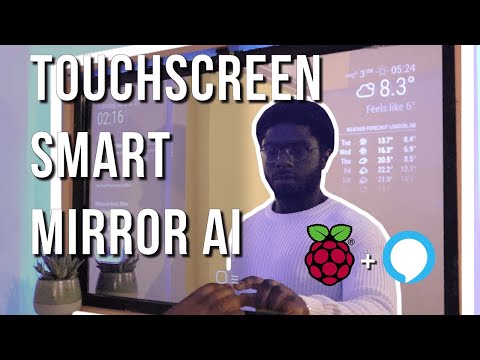
Smart Mirror Touchscreen (with Face ID) using Raspberry Pi 4 | Full Tutorial
ChannelEben KouaoDescription from the creator
smartbuilds.io/
SMAI Installation Guide: smartbuilds.io/smart-mirror-touchscreen-raspber…
Follow for latest updates: instagram.com/smartbuilds.io/
-----------------------------------------------
Part List (Essentials):
-----------------------------------------------
Raspberry Pi: amzn.to/3dhF5SY
Raspberry Pi Camera Module: amzn.to/3b6Eja1
HDMI (Micro HDMI): amzn.to/2SJ5BwR
Micro SD Card: amzn.to/2YDOmRm
Raspberry Pi Charger: amzn.to/2zhMVgI
Mirror: amzn.to/2YZBViO
IR Frame: amzn.to/3d0HFwW
Monitor: amzn.to/3ccTQXh
(You may need to shop around)
-----------------------------------------------
Part List (Optional):
-----------------------------------------------
LED Strip Lights: amzn.to/2WzUIhQ
Pi Case: amzn.to/3fkr7BT
-----------------------------------------------
Equipment Used:
-----------------------------------------------
Camera: Canon M50: amzn.to/2SD3Y3K
This video is a tutorial on how to build a touch screen smart mirror with face detection which can control home appliances. The smart mirror also integrates with Alexa. If you want more content like this… hit the subscribe button!
Introducing Smart Mirror AI (SMAI). An IoT focused smart mirror connecting your favorite devices. Alexa to your Smart
Built with a Raspberry Pi 4, using the latest Operating System, Raspbian Buster (2020)
----------------------------------------
Links from Video
----------------------------------------
Download Raspberry Pi OS: raspberrypi.org/
MagicMirror: magicmirror.builders/
Balena Etcher (MAC or Windows): balena.io/etcher/
PM2 Auto Starting MagicMirror: github.com/MichMich/MagicMirror/wiki/Auto-Start…
Mirror Modules:
Spotify: github.com/bugsounet/MMM-Spotify
Face Recognition: github.com/EbenKouao/MMM-Face-Recognition-SMAI
Smart Touch: github.com/EbenKouao/MMM-SmartTouch
Web Fluid Simulation: paveldogreat.github.io/WebGL-Fluid-Simulation/
About this tutorial
Eben Kouao published this 12:36 video tutorial on May 26, 2020. It has been watched 2,171,101 times on YouTube.
- Channel
- Eben Kouao
- Category
- Science & Technology
- Duration
- 12:36
- Published
- May 26, 2020
- Views
- 2,171,101
- Likes
- 88,032
Tags
Share
Further reading
-
Python pygame - The Full Tutorial - CodersLegacy
coderslegacy.com
This Article is a tutorial on the Python pygame framework.. The Pygame library is probably the most well known python library when it comes to making games. It’s not the most advanced or high level library, but it’s sim…
-
[checkra1n Linux] Install checkra1n on Xubuntu – full tutorial
frpfile.com
[checkra1n Linux] Install checkra1n on Xubuntu - full tutorial I show you how to install Xubuntu for use checkra1n to jailbreak iPhone 5s-X
-
Full Tutorial - MAT
mat.org
PhRMA’s Medicine Assistance Tool (MAT) helps patients, caregivers and health care providers find information about financial assistance and other resources made available through various biopharmaceutical industry progr…
This tutorial in other languages
- FRSmart Mirror écran tactile (avec Face ID) en utilisant Raspberry Pi 4 | Tutoriel complet
- ESEspejo inteligente con pantalla táctil (con la cara ID) usando Frambuesa Pi 4 | Tutorial completo
- PTInteligente Espelho Touchscreen (com cara ID) usando Raspberry Pi 4 | Tutorial completo
- ITIntelligente Specchio touchscreen (con Face ID) utilizzando Raspberry Pi 4 | tutorial completo
- DESmart-Mirror-Touchscreen (mit Face ID) unter Verwendung von Raspberry Pi 4 | Voll Tutorial
- NLSmart Mirror Touchscreen (met Face ID) met behulp van Raspberry Pi 4 | volledige Tutorial
- RUСмарт зеркало Сенсорный экран (с Face ID), используя Raspberry Pi 4 | Полный учебник
- PLInteligentne Lustro dotykowy (z Face ID) za pomocą Raspberry Pi 4 | Pełny Tutorial
- JAラズベリーパイ4を使用して(顔ID付き)スマートミラータッチスクリーン|完全なチュートリアル
- ARسمارت ميرور شاشة لمس (مع ID الوجه) باستخدام توت العليق بي 4 | دروس كاملة
- HI| (फेस आईडी के साथ) रास्पबेरी Pi 4 का उपयोग स्मार्ट मिरर टचस्क्रीन पूर्ण ट्यूटोरियल
- IDMirror Smart Touchscreen (dengan Face ID) menggunakan Raspberry Pi 4 | penuh Tutorial