Playback starts YouTube’s embedded player (privacy-enhanced mode).
How to Change Caps to Lowercase in Word
ChannelExcel, Word and PowerPoint Tutorials from HowtechDescription from the creator
In this video tutorial we will show you how to easily change the capitalization settings in Word.
Don't forget to check out our site howtech.tv/ for more free how-to videos!
youtube.com/ithowtovids - our feed
facebook.com/howtechtv - join us on facebook
plus.google.com/103440382717658277879 - our group in Google+
Word makes it very easy to change the case of word or sentence. This tutorial will show how to change caps to lowercase in Word as well as some other capitalization features.
Step # 1 -- Changing to Lowercase
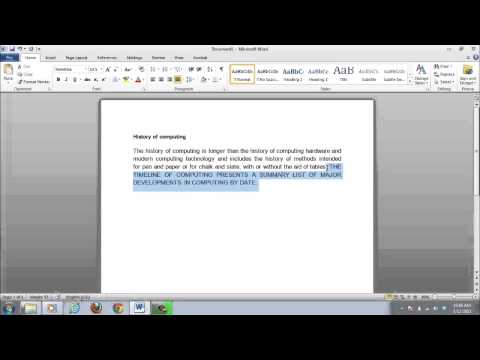
Let's start by looking at changing a fully upper case sentence to lower case. This is often useful if you have accidentally typed something out with the caps lock on. Highlight the whole sentence and then make sure you are in the "Home" tab and click the "Change Case" icon which is located in the "Font" area. In the menu that appears choose "lowercase" and the entire sentence will be changed.
Step # 2 -- Using Sentence Case
Word has rightly pointed out that the word at the start of the sentence should still have a capital letter. Using the "Sentence case" feature can be useful here. Select the sentence and click the "Change case" icon again, from the options select "Sentence case". As you can see it automatically capitalizes the first word of the sentence.
Step # 3 -- The Other Case Options
There are several other options in the "Change case" icon. "Capitalize Each Word" is useful for titles, "Toggle Case" is ideal if you have left the caps lock on and "Uppercase" can be used if you need to emphasize a part of the document.
Don't forget to check out our site howtech.tv/ for more free how-to videos!
youtube.com/ithowtovids - our feed
facebook.com/howtechtv - join us on facebook
plus.google.com/103440382717658277879 - our group in Google+
Word makes it very easy to change the case of word or sentence. This tutorial will show how to change caps to lowercase in Word as well as some other capitalization features.
Step # 1 -- Changing to Lowercase
Let's start by looking at changing a fully upper case sentence to lower case. This is often useful if you have accidentally typed something out with the caps lock on. Highlight the whole sentence and then make sure you are in the "Home" tab and click the "Change Case" icon which is located in the "Font" area. In the menu that appears choose "lowercase" and the entire sentence will be changed.
Step # 2 -- Using Sentence Case
Word has rightly pointed out that the word at the start of the sentence should still have a capital letter. Using the "Sentence case" feature can be useful here. Select the sentence and click the "Change case" icon again, from the options select "Sentence case". As you can see it automatically capitalizes the first word of the sentence.
Step # 3 -- The Other Case Options
There are several other options in the "Change case" icon. "Capitalize Each Word" is useful for titles, "Toggle Case" is ideal if you have left the caps lock on and "Uppercase" can be used if you need to emphasize a part of the document.
About this tutorial
Excel, Word and PowerPoint Tutorials from Howtech published this 1:16 video tutorial on October 28, 2013. It has been watched 682,706 times on YouTube.
- Category
- Howto & Style
- Duration
- 1:16
- Published
- October 28, 2013
- Views
- 682,706
- Likes
- 2,435
Tags
Share
This tutorial in other languages
- FRComment changer Caps dans Word pour Minuscules
- ESCómo cambiar de mayúsculas a minúsculas en Word
- PTComo alterar Caps para minúsculas no Word
- ITCome modificare Caps minuscolo in Word
- DEWie Ändern Caps in Kleinbuchstaben in Word
- NLHoe kan Caps wisselen tussen kleine letters in Word
- RUКак изменить Колпачки в нижний регистр в слове
- PLJak zmienić Caps na małe litery w programie Word
- JAWordで小文字にキャップを変更する方法
- ARكيفية تغيير قبعات لحرف صغير في Word
- HIकैसे वर्ड में छोटे के लिए कैप्स को बदलें
- IDCara Mengubah Caps ke huruf kecil di Word