Playback starts YouTube’s embedded player (privacy-enhanced mode).
How to Edit PDF in GIMP
ChannelPhotoshop Design and Photo editing Tutorials from HowTechDescription from the creator
In this video tutorial we will show you how to edit pdf in GIMP.
Don't forget to check out our site howtech.tv/ for more free how-to videos!
youtube.com/ithowtovids - our feed
facebook.com/howtechtv - join us on facebook
plus.google.com/103440382717658277879 - our group in Google+
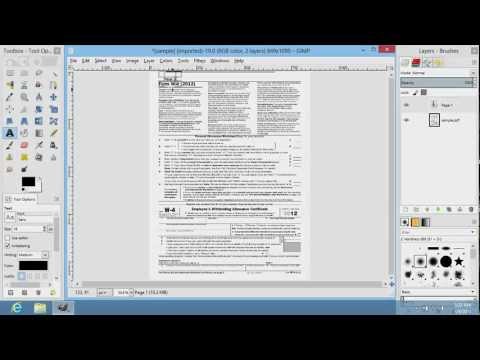
In order to edit pdf in GIMP you have to start the program. Go to the "File" menu and choose "Open". In the appeared window select a PDF file on your computer and click "Open".
In the following window select the page numbers you want to edit. You can select pages in the preview window by holding down the "Shift" key on the keyboard or enter page numbers into the field marked "Select range". For example, if you want to edit page 1 and 2, enter "1-2" in the range. If you want to view the entire document, no action is required or you can press "Select All" button. Also you can open pages as layers or images using options from the drop-down menu "Open pages as".
Choose the preferred options and press "Import".
After the PDF document is opened, you can start editing it using tools of the GIMP editor. For example, you can select and crop a part of the PDF document with "Crop Tool". Or you can type new text with "Text Tool".
Don't forget to check out our site howtech.tv/ for more free how-to videos!
youtube.com/ithowtovids - our feed
facebook.com/howtechtv - join us on facebook
plus.google.com/103440382717658277879 - our group in Google+
In order to edit pdf in GIMP you have to start the program. Go to the "File" menu and choose "Open". In the appeared window select a PDF file on your computer and click "Open".
In the following window select the page numbers you want to edit. You can select pages in the preview window by holding down the "Shift" key on the keyboard or enter page numbers into the field marked "Select range". For example, if you want to edit page 1 and 2, enter "1-2" in the range. If you want to view the entire document, no action is required or you can press "Select All" button. Also you can open pages as layers or images using options from the drop-down menu "Open pages as".
Choose the preferred options and press "Import".
After the PDF document is opened, you can start editing it using tools of the GIMP editor. For example, you can select and crop a part of the PDF document with "Crop Tool". Or you can type new text with "Text Tool".
About this tutorial
Photoshop Design and Photo editing Tutorials from HowTech published this 1:43 video tutorial on November 3, 2013. It has been watched 80,880 times on YouTube.
- Category
- Howto & Style
- Duration
- 1:43
- Published
- November 3, 2013
- Views
- 80,880
- Likes
- 106
Share
This tutorial in other languages
- FRComment Modifier PDF dans GIMP
- ESCómo Editar PDF en GIMP
- PTComo editar PDF no GIMP
- ITCome Modificare PDF in GIMP
- DEWie man Bearbeiten von PDF in GIMP
- NLHoe te bewerken PDF in GIMP
- RUКак редактировать PDF в GIMP
- PLJak edytować PDF w programie GIMP
- JAどのようにGIMPで編集PDFへ
- ARكيفية تحرير PDF في الأعرج
- HIकैसे GIMP में पीडीएफ संपादित करने के लिए
- IDCara Mengedit PDF di GIMP