Playback starts YouTube’s embedded player (privacy-enhanced mode).
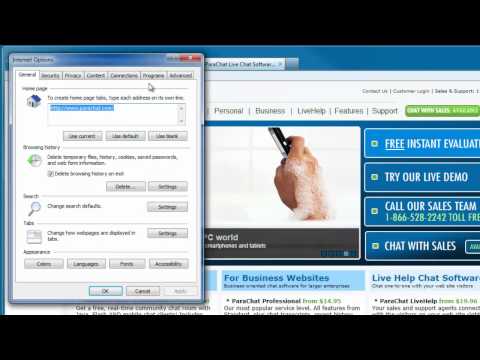
How to enable the Java plugin with Internet Explorer
ChannelParaChat SoftwareDescription from the creator
This tutorial describes how to enable and disable the Java plugin with the Microsoft Internet Explorer web browser.
Website: parachat.com
Knowledgebase: service.parachat.com/knowledgebase.php
Facebook: facebook.com/ParaChat
Twitter: twitter.com/parachat
Website: parachat.com
Knowledgebase: service.parachat.com/knowledgebase.php
Facebook: facebook.com/ParaChat
Twitter: twitter.com/parachat
About this tutorial
ParaChat Software published this 2:25 video tutorial on October 29, 2012. It has been watched 172,635 times on YouTube.
- Channel
- ParaChat Software
- Category
- Howto & Style
- Duration
- 2:25
- Published
- October 29, 2012
- Views
- 172,635
- Likes
- 208
Tags
Share
This tutorial in other languages
- FRComment activer le plug-in Java avec Internet Explorer
- ESCómo habilitar el plugin de Java con Internet Explorer
- PTComo habilitar o plugin Java com o Internet Explorer
- ITCome abilitare il plugin Java con Internet Explorer
- DEWie Sie die Java-Plugin mit dem Internet Explorer aktivieren
- NLHoe kan ik de Java-plugin met Internet Explorer in te schakelen
- RUКак включить плагин Java с Internet Explorer
- PLJak włączyć wtyczkę Java z przeglądarki Internet Explorer
- JAInternet ExplorerでJavaプラグインを有効にする方法
- ARكيفية تمكين المساعد جافا مع Internet Explorer
- HIइंटरनेट एक्सप्लोरर के साथ जावा प्लगइन को सक्षम कैसे करें
- IDCara mengaktifkan plugin Java dengan Internet Explorer