Playback starts YouTube’s embedded player (privacy-enhanced mode).
How To Fix Programs Opening In Notepad
Channelicanswim70Description from the creator
The official icanswim70 website is live, drop by and check it out! www.icanswim70.com
When you go to open a program and without warning they open in notepad, and all you see is lines of gibberish, it can be frustrating right?
Follow these simple steps to fix this error and be back up and running in minutes.
Note: This method does not require internet or command prompt, so dont worry if yours arent working.
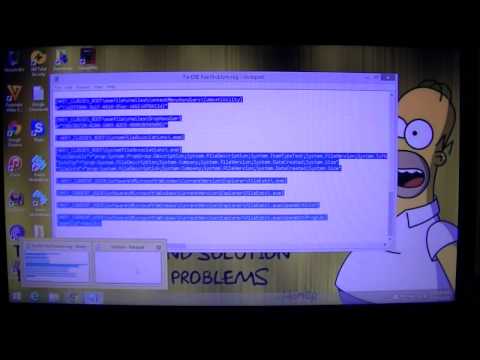
Step 1: Open Notepad by pressing Windows Logo + R Key, type "notepad" and press enter.
Step 2: Copy this code and paste it into your notepad, it will be in the comments.
Step 3: Click file,save as,fix.reg IMPORTANT!!! CHANGE SAVE FILE TYPE TO "ALL FILES" AND ENCODING TO "UNICODE"
Step 4: Save in your desired location and close the notepad
Step 5: Navigate to the file "fix.reg" you created and right click, selecting "Merge". UAC may or may not appear, click yes if it does, and yes to the second message.
A message will appear after saying the registry was successfully updated.
Thats it, now you should be able to open programs as before this whole problem started.
Be sure to Like Comment and Subscribe for lots more tutorials made easy!
Written instructions can be found here
superuser.com/questions/427434/how-to-fix-exe-f…
When you go to open a program and without warning they open in notepad, and all you see is lines of gibberish, it can be frustrating right?
Follow these simple steps to fix this error and be back up and running in minutes.
Note: This method does not require internet or command prompt, so dont worry if yours arent working.
Step 1: Open Notepad by pressing Windows Logo + R Key, type "notepad" and press enter.
Step 2: Copy this code and paste it into your notepad, it will be in the comments.
Step 3: Click file,save as,fix.reg IMPORTANT!!! CHANGE SAVE FILE TYPE TO "ALL FILES" AND ENCODING TO "UNICODE"
Step 4: Save in your desired location and close the notepad
Step 5: Navigate to the file "fix.reg" you created and right click, selecting "Merge". UAC may or may not appear, click yes if it does, and yes to the second message.
A message will appear after saying the registry was successfully updated.
Thats it, now you should be able to open programs as before this whole problem started.
Be sure to Like Comment and Subscribe for lots more tutorials made easy!
Written instructions can be found here
superuser.com/questions/427434/how-to-fix-exe-f…
About this tutorial
icanswim70 published this 5:18 video tutorial on October 27, 2015. It has been watched 227,512 times on YouTube.
- Channel
- icanswim70
- Category
- Howto & Style
- Duration
- 5:18
- Published
- October 27, 2015
- Views
- 227,512
- Likes
- 1,335
Tags
Share
This tutorial in other languages
- FRComment réparer les programmes d'ouverture Dans le Bloc-notes
- ESCómo corregir los programas de apertura En el Bloc de notas
- PTComo corrigir Programas de Abertura No bloco de notas
- ITCome risolvere i programmi di apertura In Blocco note
- DEHow To Fix-Programme Öffnen Sie in dem Editor
- NLHow To Fix Programma Opening in Kladblok
- RUКак исправить ошибки программы открытия в блокноте
- PLJak ustalić Programy otwarcia w Notatniku
- JAメモ帳でプログラムのオープニングを修正する方法
- ARكيفية إصلاح برامج فتح في المفكرة
- HIठीक करने के लिए कैसे कार्यक्रम खुलने में नोटपैड
- IDBagaimana Untuk Perbaiki Program Membuka Pada Notepad