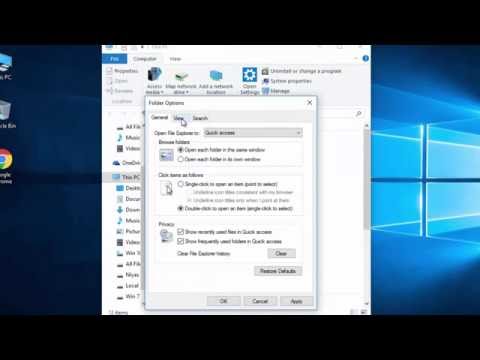
Playback starts YouTube’s embedded player (privacy-enhanced mode).
How to Show Hidden Files and Folders in Windows 10
ChannelTechZainDescription from the creator
How to Show Hidden Files, Folders & Drives in Windows 10
Follow the video to display hidden files and folders.
Option 1 – From File Explorer
Select the “Start” button, then choose “File Explorer“.
Select the “View” tab.
Check the “Hidden items” check box to view hidden items.
Option 2 – From Folder Options
Open This PC, click in the top left hand “File” menu, and select “Change folder and search options"
In the Folder Options window, Click the “View” tab.
Scroll down a bit and change the “Hidden files and folders” setting to “Show hidden files, folders, and drives“.
Hope this helps! Thank you.
unable to show hidden files and folders in windows xp
How to enable Microsoft Windows 10 to show all hidden files
toggle Hidden Files
Follow the video to display hidden files and folders.
Option 1 – From File Explorer
Select the “Start” button, then choose “File Explorer“.
Select the “View” tab.
Check the “Hidden items” check box to view hidden items.
Option 2 – From Folder Options
Open This PC, click in the top left hand “File” menu, and select “Change folder and search options"
In the Folder Options window, Click the “View” tab.
Scroll down a bit and change the “Hidden files and folders” setting to “Show hidden files, folders, and drives“.
Hope this helps! Thank you.
unable to show hidden files and folders in windows xp
How to enable Microsoft Windows 10 to show all hidden files
toggle Hidden Files
About this tutorial
TechZain published this 1:52 video tutorial on October 27, 2016. It has been watched 1,983,516 times on YouTube.
- Channel
- TechZain
- Category
- Howto & Style
- Duration
- 1:52
- Published
- October 27, 2016
- Views
- 1,983,516
- Likes
- 12,848
Tags
Share
This tutorial in other languages
- FRComment afficher les fichiers cachés et des dossiers dans Windows 10
- ESCómo mostrar archivos y carpetas ocultos en Windows 10
- PTComo mostrar pastas e arquivos ocultos no Windows 10
- ITCome Visualizza cartelle e file nascosti in Windows 10
- DEWie 10 Versteckte Dateien und Ordner in Windows anzeigen
- NLHoe maak je Verborgen bestanden en mappen weergeven in Windows 10
- RUКак показать скрытые файлы и папки в Windows 10
- PLJak pokazać ukryte pliki i foldery w systemie Windows 10
- JAWindowsの10で隠しファイルとフォルダを表示する方法
- ARكيفية إظهار الملفات المخفية والمجلدات في نظام التشغيل Windows 10
- HIछिपे हुए फ़ाइलें और फ़ोल्डर दिखाएँ कैसे Windows 10 में
- IDCara Tampilkan Hidden File dan Folder di Windows 10