Playback starts YouTube’s embedded player (privacy-enhanced mode).
How to Use Google Talk on PC
ChannelHOWTECHDescription from the creator
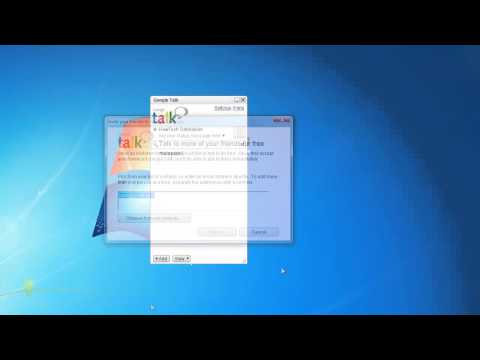
In this tutorial you will learn how to use Google Talk on PC.
Don't forget to check out our site howtech.tv/ for more free how-to videos!
youtube.com/ithowtovids - our feed
facebook.com/howtechtv - join us on facebook
plus.google.com/103440382717658277879 - our group in Google+
In this tutorial you will learn how to use Google Talk on PC.
Prerequisites: PC, Windows, Google Talk, Internet
Step 1: Click the "Start" button at the bottom of your screen.
Step 2: Type "Google talk" in the search field.
Step 3: From your search results, click "Google Talk".
Step 4: The Google Talk interface window is now opened. Use your Gmail account credentials to log in.
Step 5: After you've logged in, click the "Add" button located bottom left.
Step 6: To invite your contacts to Google Talk, just send out invitations to them. Google Talk will direct you through that process.
Step 7: To view who is online and to sort your friend's list, do the following: click "View" button and use the options from the drop-down menu.
Step 8: Hoover your mouse on top of chosen contact and and the window with contact options will appear. You can choose to call your friend or sendhim or her a voicemail.
Step 9: If you click on the top right arrow you can choose to chat with your friend, send a file, email , view your past chats and even block the user.
Step 10: To edit or change your status, click the arrow link under your username.
Step 11: Once you click the arrow menu, you can chose choose whether you are busy or available.
Step 12: Click "Settings" link to access the Settings menu and "Help" link to access online help of Google Talk.
Result: Congratulations! You have just learned how to use Google Talk on PC.
Don't forget to check out our site howtech.tv/ for more free how-to videos!
youtube.com/ithowtovids - our feed
facebook.com/howtechtv - join us on facebook
plus.google.com/103440382717658277879 - our group in Google+
In this tutorial you will learn how to use Google Talk on PC.
Prerequisites: PC, Windows, Google Talk, Internet
Step 1: Click the "Start" button at the bottom of your screen.
Step 2: Type "Google talk" in the search field.
Step 3: From your search results, click "Google Talk".
Step 4: The Google Talk interface window is now opened. Use your Gmail account credentials to log in.
Step 5: After you've logged in, click the "Add" button located bottom left.
Step 6: To invite your contacts to Google Talk, just send out invitations to them. Google Talk will direct you through that process.
Step 7: To view who is online and to sort your friend's list, do the following: click "View" button and use the options from the drop-down menu.
Step 8: Hoover your mouse on top of chosen contact and and the window with contact options will appear. You can choose to call your friend or sendhim or her a voicemail.
Step 9: If you click on the top right arrow you can choose to chat with your friend, send a file, email , view your past chats and even block the user.
Step 10: To edit or change your status, click the arrow link under your username.
Step 11: Once you click the arrow menu, you can chose choose whether you are busy or available.
Step 12: Click "Settings" link to access the Settings menu and "Help" link to access online help of Google Talk.
Result: Congratulations! You have just learned how to use Google Talk on PC.
About this tutorial
HOWTECH published this 1:38 video tutorial on November 4, 2013. It has been watched 19,091 times on YouTube.
- Channel
- HOWTECH
- Category
- Howto & Style
- Duration
- 1:38
- Published
- November 4, 2013
- Views
- 19,091
- Likes
- 54
Share
This tutorial in other languages
- FRComment utiliser Google Talk sur PC
- ESCómo utilizar Google Talk en PC
- PTComo usar o Google Talk no PC
- ITCome utilizzare Google Talk su PC
- DESo verwenden Sie Google Talk auf PC
- NLHow To Use Google Talk op de PC
- RUКак использовать Google Talk на ПК
- PLJak korzystać z Google Talk na PC
- JAどのようにPCの使用Googleトークへ
- ARكيفية استخدام Google Talk على PC
- HIकैसे पीसी पर गूगल टॉक का प्रयोग करने के लिए
- IDCara Gunakan Google Talk di PC