Playback starts YouTube’s embedded player (privacy-enhanced mode).
How to Add a Watermark to a document in Word 2016
ChannelFind Easy SolutionDescription from the creator
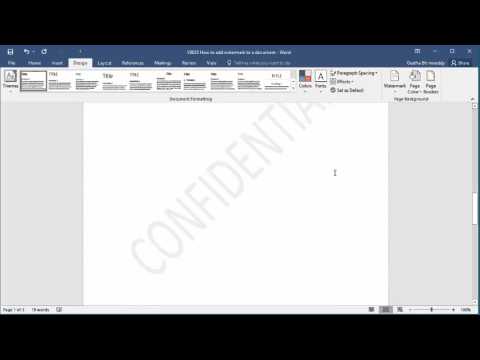
How to Add a Watermark to a document in Word 2016. Word has some default templates of water mark, if you like any of them you can add it to document by selecting the template. You can have custom text as a watermark and you can select if you want it as horizontal or diagonal text.
About this tutorial
Find Easy Solution published this 2:36 video tutorial on October 26, 2016. It has been watched 265,881 times on YouTube.
- Channel
- Find Easy Solution
- Category
- People & Blogs
- Duration
- 2:36
- Published
- October 26, 2016
- Views
- 265,881
- Likes
- 1,267
Tags
Share
This tutorial in other languages
- FRComment ajouter un filigrane à un document dans Word 2016
- ESCómo agregar una marca de agua a un documento en Word 2016
- PTComo adicionar uma marca d'água a um documento no Word 2016
- ITCome aggiungere una filigrana a un documento in Word 2016
- DEWie ein Wasserzeichen zu einem Dokument in Word 2016 hinzufügen
- NLHoe kan ik een watermerk toevoegen aan een document in Word 2016
- RUКак добавить водяные знаки в документ слова 2016 года
- PLJak dodać znak wodny do dokumentu w programie Word 2016
- JAWord 2016文書に透かしを追加する方法
- ARكيفية إضافة علامة مائية إلى مستند في Word 2016
- HIकैसे एक दस्तावेज़ में एक वॉटरमार्क जोड़ें वर्ड 2016 में
- IDCara Menambahkan Watermark ke dokumen di Word 2016