Playback starts YouTube’s embedded player (privacy-enhanced mode).
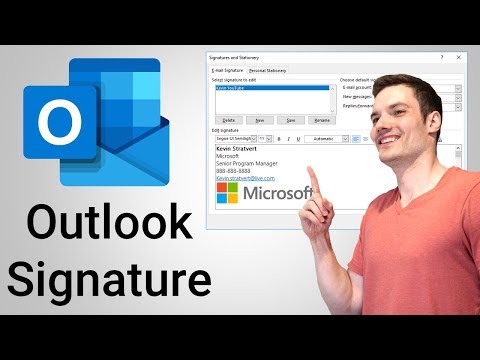
How to Add Signature in Outlook
ChannelKevin StratvertIn brief
You’ll create and customize email signatures in Outlook Desktop and Outlook on the web, including graphics and font adjustments. This works for both new messages and replies, and lets you set up multiple signatures—ideal for anyone who wants a polished, professional touch to their emails.
Key steps
- Open Outlook Desktop: go to File > Options > Mail > Signatures
- In Outlook on the web: click the Settings gear and search for signature
- Create a new signature by adding text, adjusting font weight, and inserting graphics
- Choose whether to include the signature on new messages only or replies/forwards
Description from the creator
To add a signature in outlook, go to File - Options - Mail - Signatures. Alternatively, use search to find signature. In Outlook on the web, click on the Settings gear and search for signature. Find out how to apply multiple signatures, whether to include the signature on only new messages or also replies and forwards. See how to add graphics to signatures and how to adjust the font weight.
📺 RELATED VIDEOS
- Playlist with more videos on Microsoft Outlook: youtube.com/playlist?list=PLlKpQrBME6xJswJLJ69w…
🙌 SUPPORT THE CHANNEL
- Hit the THANKS button in any video!
- Amazon affiliate link: amzn.to/3kCP2yz (Purchasing through this link gives me a small commission to support videos on this channel -- the price to you is the same)
🔽 CONNECT WITH ME
- Official web site: kevinstratvert.com
- LinkedIn: linkedin.com/in/kevinstratvert/
- Discord: discord.gg/kHuujY2pZf
- Twitter: twitter.com/kevstrat
- Facebook: facebook.com/Kevin-Stratvert-101912218227818
- TikTok: tiktok.com/@kevinstratvert
- Instagram: instagram.com/kevinstratvert/
🎒 MY COURSES
- Excel for Beginners in under 2 hours: kevinstratvert.thinkific.com/
🙏 REQUEST VIDEOS
forms.gle/BDrTNUoxheEoMLGt5
🔔 SUBSCRIBE ON YOUTUBE
youtube.com/user/kevlers?sub_confirmation=1
#stratvert
About this tutorial
Kevin Stratvert published this 6:11 video tutorial on October 25, 2019. It has been watched 3,058,109 times on YouTube.
- Channel
- Kevin Stratvert
- Category
- Science & Technology
- Duration
- 6:11
- Published
- October 25, 2019
- Views
- 3,058,109
- Likes
- 16,109
Tags
Share
Further reading
-
Create and add a signature to messages - Outlook
support.microsoft.com
Choose OK to save your new signature and return to your message. Outlook doesn't add your new signature to the message you opened in Step 1, even if you chose to apply the signature to all new messages. You'll have to a…
-
Create and add an email signature in Outlook.com - Outlook
support.microsoft.com
Create an email signature that you can add automatically to all outgoing messages or add manually to specific ones. Create an email signature. Sign in to Outlook.com and select Settings > View all Outlook settings at th…
-
How to Create an Email Signature in Outlook
lifewire.com
This article applies to Outlook 2019, Outlook 2016, Outlook 2013, Outlook 2010, and Outlook for Microsoft 365. Create an Email Signature in Outlook An email signature in Outlook can include your name, title, social medi…
This tutorial in other languages
- FRComment ajouter la signature dans
- ESCómo Agregar firma en Outlook
- PTComo adicionar Assinatura no Outlook
- ITCome aggiungere Firma in Outlook
- DEWie Hinzufügen Signatur in Outlook
- NLHoe maak je handtekening toe te voegen in Outlook
- RUКак добавить подпись в Outlook,
- PLJak dodawać podpis w programie Outlook
- JAOutlookで署名を追加する方法
- ARكيفية إضافة توقيع في Outlook
- HIकैसे Outlook में हस्ताक्षर जोड़ने के लिए
- IDBagaimana Tambahkan Signature di Outlook