Playback starts YouTube’s embedded player (privacy-enhanced mode).
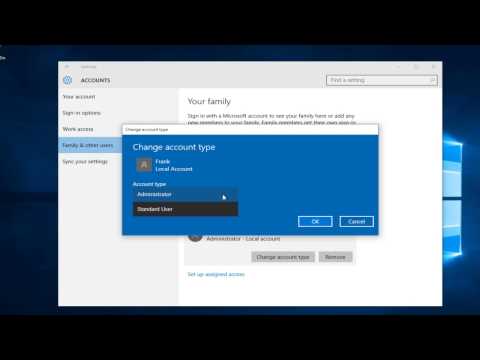
How To Change An Admin Account To Standard User In Windows 10
ChannelMDTechVideosDescription from the creator
In this tutorial, I will be showing how to change an administrator account with elevated privileges to a standard user account.
Every time you go through the out-of-the-box experience on a new installation of Windows 10, you're required to create a user account. The first account you create will always be an Administrator account, which allows you to manage every aspect of your computer. However, when you need to share your computer with family members or friends by default the accounts are created as Standard User, which are more restricted, and sometimes it may not be the best option.
Windows 10 offers two account types: Administrator and Standard User. (In previous versions there was also the Guest account, but that was removed with Windows 10.)
Administrator accounts have complete control over a computer. Users with this type of account can change settings globally, install programs, get through the User Account Control (UAC) when elevation to perform a task is required, and everything else.
Standard User accounts have more limited control. Users with this type of account can run applications, but they can't install new programs. Users can change system settings, but only settings that won't affect other accounts. If a task requires elevations an username and password for an administrator will be needed to pass through the UAC prompt.
The Standard User account works best for a child's account or may be for someone who only needs to do the very minimum (or can't be trusted to not muck things up). However, there will be times when you may want to give users more freedom on what they can do.
This tutorial will apply for computers, laptops, desktops,and tablets running the Windows 10 operating system (Home, Professional, Enterprise, Education) from all supported hardware manufactures, like Dell, HP, Acer, Asus, Toshiba, Lenovo, and Samsung.
Every time you go through the out-of-the-box experience on a new installation of Windows 10, you're required to create a user account. The first account you create will always be an Administrator account, which allows you to manage every aspect of your computer. However, when you need to share your computer with family members or friends by default the accounts are created as Standard User, which are more restricted, and sometimes it may not be the best option.
Windows 10 offers two account types: Administrator and Standard User. (In previous versions there was also the Guest account, but that was removed with Windows 10.)
Administrator accounts have complete control over a computer. Users with this type of account can change settings globally, install programs, get through the User Account Control (UAC) when elevation to perform a task is required, and everything else.
Standard User accounts have more limited control. Users with this type of account can run applications, but they can't install new programs. Users can change system settings, but only settings that won't affect other accounts. If a task requires elevations an username and password for an administrator will be needed to pass through the UAC prompt.
The Standard User account works best for a child's account or may be for someone who only needs to do the very minimum (or can't be trusted to not muck things up). However, there will be times when you may want to give users more freedom on what they can do.
This tutorial will apply for computers, laptops, desktops,and tablets running the Windows 10 operating system (Home, Professional, Enterprise, Education) from all supported hardware manufactures, like Dell, HP, Acer, Asus, Toshiba, Lenovo, and Samsung.
About this tutorial
MDTechVideos published this 1:45 video tutorial on October 26, 2016. It has been watched 62,876 times on YouTube.
- Channel
- MDTechVideos
- Category
- Science & Technology
- Duration
- 1:45
- Published
- October 26, 2016
- Views
- 62,876
- Likes
- 241
Share
This tutorial in other languages
- FRComment faire pour modifier un compte administrateur à la norme utilisateur dans Windows 10
- ESCómo cambiar un usuario de la cuenta de administrador para estándar en Windows 10
- PTComo alterar um usuário conta de administrador para Padrão No Windows 10
- ITCome cambiare un utente amministratore Account Per standard in Windows 10
- DESo ändern Sie ein Administratorkonto, um Standardbenutzer in Windows 10
- NLHow To Change een beheerdersaccount aan de norm gebruiker in Windows 10
- RUКак сменить аккаунт администратора Стандартный пользователь в ОС Windows 10
- PLJak zmienić administratora konta na standardowe użytkownika w systemie Windows 10
- JAどのように変更しますアン管理者アカウントへの標準ユーザーでWindowsの10
- ARكيفية تغيير حساب مشرف الى المعيار المستخدم في ويندوز 10
- HIकैसे करने के लिए एक बदलें व्यवस्थापक खाते का मानक उपयोगकर्ता में Windows 10
- IDCara Ganti Akun Admin Untuk Pengguna Standar Pada Windows 10