Playback starts YouTube’s embedded player (privacy-enhanced mode).
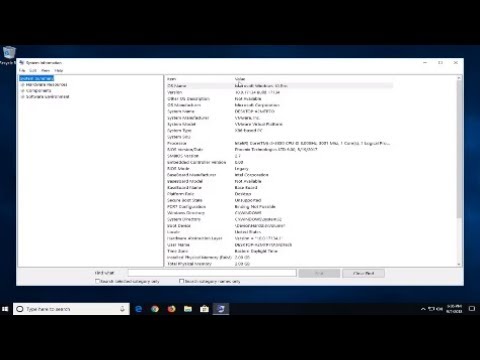
How to Check Your Computer Specs on Windows 10
ChannelMDTechVideosDescription from the creator
How to Check Your Computer Specs on Windows 10.
Knowing how much RAM you have you and the overall specs of your Windows 10 PC is very important. For example, many programs require your computer to meet a certain criteria of specifications in order to use them properly.
For example, a program like Adobe Photoshop CC requires at least 2 Gigabytes of RAM. If your PC falls short of that, you might experience extreme slowness while using the program. In this quick guide, you will learn how to easily check how much you have and the system specifications on Windows 10.
Most of the time you can get by without know exactly what's inside your computer box. It just works. Until it doesn't… and then you need to know exactly what you've got. When you need to troubleshoot a problematic component, then you need to know what that component is.
On Windows 10 you can check your system information, including BIOS detail, computer model, processor, hard drive, graphics, operating system, and other specifications in a number of ways. Depending on the tool you use, the information available will be slightly different.
This tutorial will apply for computers, laptops, desktops,and tablets running the Windows 10 operating system (Home, Professional, Enterprise, Education) from all supported hardware manufactures, like Dell, HP, Acer, Asus, Toshiba,Lenovo, and Samsung).
Knowing how much RAM you have you and the overall specs of your Windows 10 PC is very important. For example, many programs require your computer to meet a certain criteria of specifications in order to use them properly.
For example, a program like Adobe Photoshop CC requires at least 2 Gigabytes of RAM. If your PC falls short of that, you might experience extreme slowness while using the program. In this quick guide, you will learn how to easily check how much you have and the system specifications on Windows 10.
Most of the time you can get by without know exactly what's inside your computer box. It just works. Until it doesn't… and then you need to know exactly what you've got. When you need to troubleshoot a problematic component, then you need to know what that component is.
On Windows 10 you can check your system information, including BIOS detail, computer model, processor, hard drive, graphics, operating system, and other specifications in a number of ways. Depending on the tool you use, the information available will be slightly different.
This tutorial will apply for computers, laptops, desktops,and tablets running the Windows 10 operating system (Home, Professional, Enterprise, Education) from all supported hardware manufactures, like Dell, HP, Acer, Asus, Toshiba,Lenovo, and Samsung).
About this tutorial
MDTechVideos published this 2:08 video tutorial on November 10, 2018. It has been watched 134,574 times on YouTube.
- Channel
- MDTechVideos
- Category
- Science & Technology
- Duration
- 2:08
- Published
- November 10, 2018
- Views
- 134,574
- Likes
- 868
Tags
Share
This tutorial in other languages
- FRComment vérifier votre ordinateur Caractéristiques techniques sur Windows 10
- ESCómo comprobar las especificaciones de su ordenador en Windows 10
- PTComo verificar o seu especificações do computador no Windows 10
- ITCome controllare le caratteristiche del tuo computer in Windows 10
- DESo prüfen Sie Ihren Computer Specs auf Windows 10
- NLHoe uw computer Specs op Windows 10
- RUКак проверить свой компьютер Спекуляции на Windows 10
- PLJak sprawdzić komputer Specs na systemie Windows 10
- JAWindowsの10でコンピュータの仕様を確認する方法
- ARكيفية التحقق الحاسوب المواصفات الخاصة بك على ويندوز 10
- HIकैसे Windows 10 पर अपने कंप्यूटर चश्मा चेक करने के लिए
- IDBagaimana Periksa Komputer Specs Anda pada Windows 10