Playback starts YouTube’s embedded player (privacy-enhanced mode).
How to Delete Private or Incognito Browsing History (Google Chrome, Firefox, Internet Explorer)
ChannelMDTechVideosDescription from the creator
How to Delete Private or Incognito Browsing History (Google Chrome, Firefox, Internet Explorer).
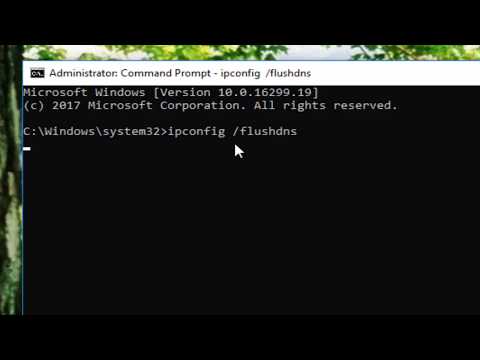
This tutorial teaches users how to delete private or incognito browsing history across popular browsers like Google Chrome, Firefox, and Internet Explorer. Clearing this browsing data ensures privacy by removing traces of websites visited in private modes, preventing unauthorized access to sensitive information. It highlights simple steps to delete history on each browser, offering a straightforward approach for users who value maintaining confidentiality online. Whether for security reasons or personal preferences, learning how to manage browsing history is essential for online privacy.
This tutorial will apply for computers, laptops, desktops, and tablets running the Windows 11, Windows 10, Windows 8/8.1, Windows 7 operating systems. Works for all major computer manufactures (Dell, HP, Acer, Asus, Toshiba, Lenovo, Samsung).
This tutorial teaches users how to delete private or incognito browsing history across popular browsers like Google Chrome, Firefox, and Internet Explorer. Clearing this browsing data ensures privacy by removing traces of websites visited in private modes, preventing unauthorized access to sensitive information. It highlights simple steps to delete history on each browser, offering a straightforward approach for users who value maintaining confidentiality online. Whether for security reasons or personal preferences, learning how to manage browsing history is essential for online privacy.
This tutorial will apply for computers, laptops, desktops, and tablets running the Windows 11, Windows 10, Windows 8/8.1, Windows 7 operating systems. Works for all major computer manufactures (Dell, HP, Acer, Asus, Toshiba, Lenovo, Samsung).
About this tutorial
MDTechVideos published this 1:38 video tutorial on November 2, 2018. It has been watched 140,787 times on YouTube.
- Channel
- MDTechVideos
- Category
- Science & Technology
- Duration
- 1:38
- Published
- November 2, 2018
- Views
- 140,787
- Likes
- 384
Tags
Share
This tutorial in other languages
- FRComment supprimer ou privé Incognito Historique de navigation (Google Chrome, Firefox, Internet Explorer)
- ESCómo eliminar privada o de incógnito el historial de navegación (Google Chrome, Firefox, Internet Explorer)
- PTComo excluir Privada ou Incognito Browsing History (Google Chrome, Firefox, Internet Explorer)
- ITCome eliminare privato o Incognito cronologia esplorazioni (Google Chrome, Firefox, Internet Explorer)
- DEWie Privat oder Incognito Browsing History (Google Chrome, Firefox, Internet Explorer) löschen
- NLHoe te verwijderen Private of Incognito Browsing History (Google Chrome, Firefox, Internet Explorer)
- RUКак удалить частный или в режиме инкогнито история (Google Chrome, Firefox, Internet Explorer)
- PLJak usunąć prywatne lub incognito przeglądania historii (Google Chrome, Firefox, Internet Explorer)
- JAプライベートまたはインコグニート閲覧の履歴(Google Chromeのは、Firefox、Internet Explorerを)削除する方法
- ARكيفية حذف الخاصة أو التستر تاريخ التصفح (جوجل كروم، فايرفوكس، وإنترنت إكسبلورر)
- HIहटाएँ कैसे निजी या गुप्त ब्राउज़िंग इतिहास (गूगल क्रोम, फ़ायरफ़ॉक्स, इंटरनेट एक्सप्लोरर)
- IDCara Hapus Swasta atau Incognito Browsing History (Google Chrome, Firefox, Internet Explorer)