Playback starts YouTube’s embedded player (privacy-enhanced mode).
How to Disable Windows Update on Windows 10 Permanently
ChannelMDTechVideosDescription from the creator
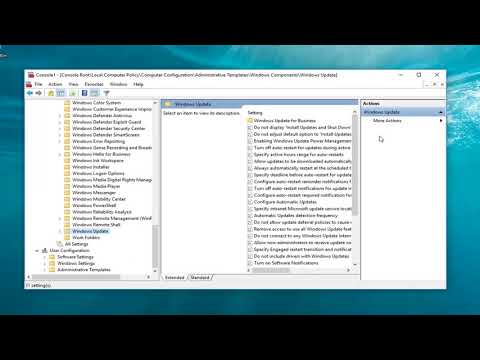
How to Disable Windows Update on Windows 10 Permanently.
There is no greater Windows 10 controversy than its policy of forced updates. While great in theory, for many users the reality of updates which download and install automatically has been horribly different and the question on many users minds is: How do you stop them?
This tutorial will show you two setting changes that you can make to Microsoft Windows 10 to stop it from downloading and installing updates automatically.
This tutorial will apply for computers, laptops, desktops,and tablets running the Windows 10 operating system (Professional, Enterprise, Education) from all supported hardware manufactures, like Dell, HP, Acer, Asus, Toshiba,Lenovo, and Samsung).
There is no greater Windows 10 controversy than its policy of forced updates. While great in theory, for many users the reality of updates which download and install automatically has been horribly different and the question on many users minds is: How do you stop them?
This tutorial will show you two setting changes that you can make to Microsoft Windows 10 to stop it from downloading and installing updates automatically.
This tutorial will apply for computers, laptops, desktops,and tablets running the Windows 10 operating system (Professional, Enterprise, Education) from all supported hardware manufactures, like Dell, HP, Acer, Asus, Toshiba,Lenovo, and Samsung).
About this tutorial
MDTechVideos published this 3:47 video tutorial on November 8, 2018. It has been watched 71,369 times on YouTube.
- Channel
- MDTechVideos
- Category
- Science & Technology
- Duration
- 3:47
- Published
- November 8, 2018
- Views
- 71,369
- Likes
- 387
Tags
Share
This tutorial in other languages
- FRComment désactiver Windows Update sur Windows 10 en permanence
- ESCómo deshabilitar Windows Update en Windows 10 de forma permanente
- PTComo desabilitar o Windows Update no Windows 10 Permanentemente
- ITCome disattivare Windows Update in Windows 10 in modo permanente
- DESo deaktivieren Sie Windows Update auf Windows 10 Dauerhaft
- NLHoe kan uitschakelen Windows Update op Windows 10 Permanent
- RUКак отключить обновления Windows на Windows 10 Постоянно
- PLJak wyłączyć Windows Update w systemie Windows 10 Trwale
- JAどのようにWindowsの10で無効にWindows Updateに恒久的に
- ARكيفية تعطيل تحديث ويندوز على نظام التشغيل Windows 10 بشكل دائم
- HIWindows 10 पर कैसे अक्षम Windows अद्यतन करने के लिए स्थायी रूप से
- IDCara Nonaktifkan Windows Update pada Windows 10 secara permanen