Playback starts YouTube’s embedded player (privacy-enhanced mode).
How To Edit Hosts File in Windows 10
ChannelMDTechVideosDescription from the creator
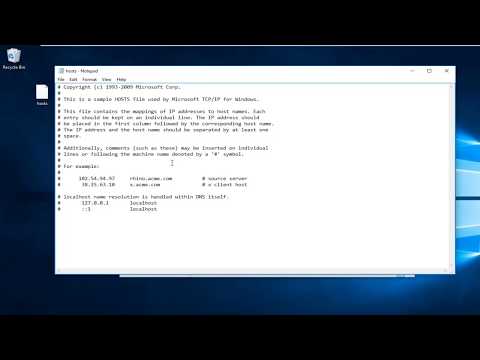
How To Edit Hosts File in Windows 10.
Modifying your hosts file enables you to override the domain name system (DNS) for a domain on a specific machine. DNS management is useful when you want to test your site without the test link prior to going live with SSL, verify that an alias site works prior to DNS changes, and for other DNS-related reasons.
Modifying your hosts file causes your local machine to look directly at the Internet Protocol (IP) address that you specify
This tutorial will apply for computers, laptops, desktops, and tablets running the Windows 10, Windows 8/8.1, Windows 7 operating systems.Works for all major computer manufactures (Dell, HP, Acer, Asus, Toshiba, Lenovo, Samsung).
Modifying your hosts file enables you to override the domain name system (DNS) for a domain on a specific machine. DNS management is useful when you want to test your site without the test link prior to going live with SSL, verify that an alias site works prior to DNS changes, and for other DNS-related reasons.
Modifying your hosts file causes your local machine to look directly at the Internet Protocol (IP) address that you specify
This tutorial will apply for computers, laptops, desktops, and tablets running the Windows 10, Windows 8/8.1, Windows 7 operating systems.Works for all major computer manufactures (Dell, HP, Acer, Asus, Toshiba, Lenovo, Samsung).
About this tutorial
MDTechVideos published this 3:33 video tutorial on November 6, 2018. It has been watched 530,900 times on YouTube.
- Channel
- MDTechVideos
- Category
- Science & Technology
- Duration
- 3:33
- Published
- November 6, 2018
- Views
- 530,900
- Likes
- 4,618
Tags
Share
This tutorial in other languages
- FRComment faire pour modifier fichier Hosts dans Windows 10
- ESCómo Editar archivo Hosts en Windows 10
- PTComo editar arquivo hosts no Windows 10
- ITCome modificare file hosts in Windows 10
- DESo bearbeiten Hosts Datei in Windows 10
- NLHoe te bewerken hosts-bestand in Windows 10
- RUКак редактировать Hosts File в Windows 10
- PLJak edytować plik hosts w systemie Windows 10
- JAするには、[編集]は、Windows 10でファイルをホストする方法
- ARكيفية تحرير تستضيف ملف في ويندوز 10
- HIकैसे करने के लिए संपादित करें Windows 10 में फ़ाइल मेजबान
- IDCara Mengedit Host File dalam Windows 10