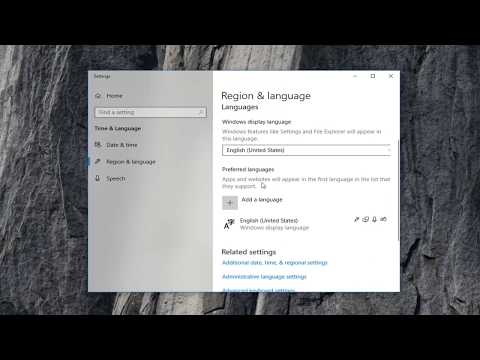
Playback starts YouTube’s embedded player (privacy-enhanced mode).
How To Fix This Update Is Not Applicable To Your Computer
ChannelMDTechVideosDescription from the creator
How To Fix This Update Is Not Applicable To Your Computer.
Commands Shown:
DISM.exe /Online /Cleanup-Image /RestoreHealth /Source:C:\RepairSource\Windows\LimitAccess
sfc /scannow
Updates are an integral part of the Windows system; without these updates, your PC will not perform up to its potential.
A lot of users are reporting that when they try to install an update, they get an error message that reads “This update is not applicable to your computer”. This error message suggests that either your system is missing a prerequisite update or your PC is incompatible with the new update.
Many a time when you try installing an update to Windows 10, it simply says that ‘The update isn’t applicable to your computer‘. That’s strange right because it was Windows which downloaded them in the first place. In this post, first, you need to take a understand the reason behind it and then follow the suggested fix. This tutorial is sure to resolve the issue for you.
This tutorial will apply for computers, laptops, desktops,and tablets running the Windows 10, Windows 8/8.1, Windows 7 operating systems.Works for all major computer manufactures (Dell, HP, Acer, Asus, Toshiba, Lenovo, Samsung).
Commands Shown:
DISM.exe /Online /Cleanup-Image /RestoreHealth /Source:C:\RepairSource\Windows\LimitAccess
sfc /scannow
Updates are an integral part of the Windows system; without these updates, your PC will not perform up to its potential.
A lot of users are reporting that when they try to install an update, they get an error message that reads “This update is not applicable to your computer”. This error message suggests that either your system is missing a prerequisite update or your PC is incompatible with the new update.
Many a time when you try installing an update to Windows 10, it simply says that ‘The update isn’t applicable to your computer‘. That’s strange right because it was Windows which downloaded them in the first place. In this post, first, you need to take a understand the reason behind it and then follow the suggested fix. This tutorial is sure to resolve the issue for you.
This tutorial will apply for computers, laptops, desktops,and tablets running the Windows 10, Windows 8/8.1, Windows 7 operating systems.Works for all major computer manufactures (Dell, HP, Acer, Asus, Toshiba, Lenovo, Samsung).
About this tutorial
MDTechVideos published this 5:04 video tutorial on October 29, 2019. It has been watched 92,559 times on YouTube.
- Channel
- MDTechVideos
- Category
- Science & Technology
- Duration
- 5:04
- Published
- October 29, 2019
- Views
- 92,559
- Likes
- 287
Tags
Share
This tutorial in other languages
- FRComment faire pour résoudre ce problème de mise à jour est pas applicable à votre ordinateur
- ESCómo corregir esta actualización no es aplicable a la computadora
- PTComo corrigir isso é da actualização Não aplicável ao seu computador
- ITCome risolvere questo aggiornamento non è applicabile al computer
- DEWie man dieses Update ist nicht anwendbar auf Ihrem Computer Fix
- NLHow To Fix deze update is niet van toepassing op uw computer
- RUКак исправить это обновление не применимые к вашему компьютеру
- PLJak ustalić Ta aktualizacja nie ma zastosowania do komputera
- JAこの更新プログラムを修正するにはどのようにあなたのコンピュータには適用されません
- ARكيفية إصلاح هذا التحديث لا ينطبق على جهاز الكمبيوتر الخاص بك
- HIठीक करने के लिए कैसे यह अद्यतन होने पर आपका कंप्यूटर के लिए लागू नहीं
- IDBagaimana Untuk Perbaiki Ini Perbarui Is Tidak Berlaku Untuk Komputer Anda