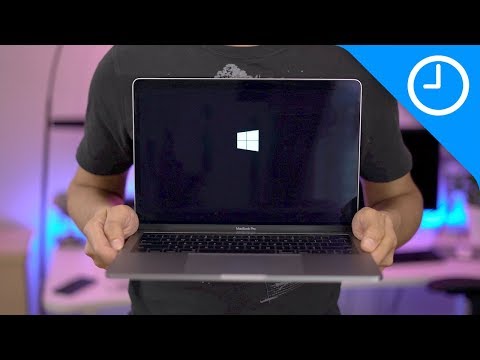
Playback starts YouTube’s embedded player (privacy-enhanced mode).
How to install Windows 10 on a Mac using Boot Camp Assistant
Channel9to5MacIn brief
You’ll dual-boot Windows 10 alongside macOS Sierra on your Mac using Boot Camp Assistant. The process covers downloading the Windows 10 ISO, partitioning your drive, and guiding you through the installation steps—ideal for users wanting to run Windows natively on supported Mac hardware.
Key steps
- Open Boot Camp Assistant and select your Windows 10 ISO
- Install Windows 10 using the Boot Camp installer
- Connect to Wi-Fi and run Apple’s Boot Camp support software
- Activate Windows or join the Windows Insider Program if needed
- Wait for Windows Update to complete before first use
Questions & answers
What macOS version does this tutorial support?
The tutorial specifically covers macOS Sierra.
Do I need an external drive for this installation?
No, this tutorial uses the internal drive via Boot Camp Assistant.
Chapters
Description from the creator
Subscribe ► bit.ly/9to5YT | Windows 10 ISO download link ► bit.ly/2ui2H4i Installing Windows 10 on a Mac running macOS Sierra is super-easy using Boot Camp Assistant. In this tutorial, we show you how to download the Windows 10 ISO and how to install Windows 10 on your Mac. Read full article ► wp.me/p1xtr9-1W0u
How to use Boot Camp with an external drive: youtu.be/kR28kVtZYJY
## Favorite apps:
LumaFusion (iOS): goo.gl/1JZjps
Final Cut Pro X (Mac): goo.gl/032qDi
Pixelmator (Mac): goo.gl/cJaoRs
Affinity Designer (Mac): goo.gl/6QGdAU
Affinity Photo (Mac): goo.gl/uW8C3k
Affinity Photo (iPad): goo.gl/3qPCKH
Filmic Pro (iOS): goo.gl/38L83G
Ferrite (iOS): goo.gl/mqLzST
Ulysses (iOS): goo.gl/RgNtEi
Ulysses (Mac): goo.gl/GwMEax
## Favorite gear:
Panasonic GH5: goo.gl/kJ7qVx
Panasonic 12-35mm f2.8: amzn.to/2pHTZMO
10.5-inch iPad Pro: goo.gl/E2XwJH
ATH-M50x: amzn.to/2pYteoB
Matias Wireless Aluminum Keyboard: amzn.to/2tOVQ5w
## Follow us
twitter.com/9to5Mac/
facebook.com/9to5Mac/
twitter.com/JeffBenjam/
instagram.com/JeffBenjam/
## Other channels
youtube.com/9to5Google/
youtube.com/electrekco/
youtube.com/9to5Toys/
FTC: We use income earning auto affiliate links: 9to5mac.com/about/#affiliate
0:00 Introduction
0:11 Download the Windows 10 ISO
1:08 Configure Boot Camp Assistant
2:49 Install Windows 10
5:17 Run Boot Camp Installer
6:08 Connect to Wi-Fi
6:24 Run Apple Software Update
7:11 Run Windows Update
7:38 Activate Windows, or join Windows Insider Program
8:36 Windows Update will take a while to complete...
How to use Boot Camp with an external drive: youtu.be/kR28kVtZYJY
## Favorite apps:
LumaFusion (iOS): goo.gl/1JZjps
Final Cut Pro X (Mac): goo.gl/032qDi
Pixelmator (Mac): goo.gl/cJaoRs
Affinity Designer (Mac): goo.gl/6QGdAU
Affinity Photo (Mac): goo.gl/uW8C3k
Affinity Photo (iPad): goo.gl/3qPCKH
Filmic Pro (iOS): goo.gl/38L83G
Ferrite (iOS): goo.gl/mqLzST
Ulysses (iOS): goo.gl/RgNtEi
Ulysses (Mac): goo.gl/GwMEax
## Favorite gear:
Panasonic GH5: goo.gl/kJ7qVx
Panasonic 12-35mm f2.8: amzn.to/2pHTZMO
10.5-inch iPad Pro: goo.gl/E2XwJH
ATH-M50x: amzn.to/2pYteoB
Matias Wireless Aluminum Keyboard: amzn.to/2tOVQ5w
## Follow us
twitter.com/9to5Mac/
facebook.com/9to5Mac/
twitter.com/JeffBenjam/
instagram.com/JeffBenjam/
## Other channels
youtube.com/9to5Google/
youtube.com/electrekco/
youtube.com/9to5Toys/
FTC: We use income earning auto affiliate links: 9to5mac.com/about/#affiliate
0:00 Introduction
0:11 Download the Windows 10 ISO
1:08 Configure Boot Camp Assistant
2:49 Install Windows 10
5:17 Run Boot Camp Installer
6:08 Connect to Wi-Fi
6:24 Run Apple Software Update
7:11 Run Windows Update
7:38 Activate Windows, or join Windows Insider Program
8:36 Windows Update will take a while to complete...
About this tutorial
9to5Mac published this 10:33 video tutorial on October 28, 2017. It has been watched 7,443,696 times on YouTube.
- Channel
- 9to5Mac
- Category
- Science & Technology
- Duration
- 10:33
- Published
- October 28, 2017
- Views
- 7,443,696
- Likes
- 104,111
Tags
Share
This tutorial in other languages
- FRComment installer Windows 10 sur un Mac en utilisant l'Assistant Boot Camp
- ESCómo instalar Windows 10 en un Mac utilizando el Asistente Boot Camp
- PTComo instalar o Windows 10 em um Mac usando Assistente do Boot Camp
- ITCome installare Windows 10 su un Mac con Boot Camp Assistant
- DEWie Sie Windows 10 auf einem Mac mit Boot Camp-Assistenten installieren
- NLHoe kan ik Windows 10 op een Mac installeren met behulp van Boot Camp-assistent
- RUКак установить Windows 10 на Mac с помощью Boot Camp Assistant
- PLJak zainstalować Windows 10 na komputerze Mac za pomocą Asystenta Boot Camp
- JABoot Campアシスタントを使ってMac上でWindows 10をインストールする方法
- ARكيفية تثبيت ويندوز 10 على ماك باستخدام معسكر مساعد
- HIबूट शिविर सहायक के प्रयोग पर एक मैक Windows 10 स्थापित करने के लिए
- IDBagaimana menginstal Windows 10 pada Mac menggunakan Boot Camp Assistant