Playback starts YouTube’s embedded player (privacy-enhanced mode).
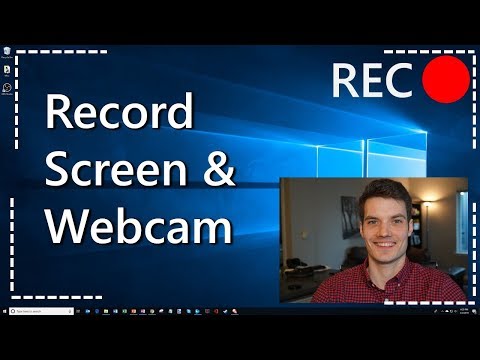
How to Record your Computer Screen & Webcam
ChannelKevin StratvertIn brief
You’ll learn to record your computer screen alongside your webcam using free, ad-free Open Broadcaster Software (OBS Studio). This works across Windows, Mac, and Linux, ideal for gaming clips, tutorials, or presentations. The video covers installation, source setup, and basic output/audio adjustments.
Key steps
- Download and install OBS Studio from the official website.
- Add a 'Display Capture' source for your desktop screen.
- Add a 'Video Capture Device' source for your webcam.
- Drag the webcam source above the desktop capture in the source list.
- Check the Output tab to set the save location and file format (e.g., MP4).
- Adjust system audio and microphone levels in the Audio settings.
- Start a recording and preview the combined screen and webcam feed.
- Stop recording and play back the saved file to verify the output.
Questions & answers
Is OBS Studio free to use?
Yes, OBS Studio is completely free with no ads.
Description from the creator
There are lots of programs out there, like ezvid and Camtasia. Some have ads and others cost money. In this video, I walk through how to download, install, and set up Open Broadcaster Software (obsproject.com). It's free, has no ads, and allows you to record your desktop and a webcam simultaneously. On forums, this is most often recommended as the best screen recording software. You can use this for gaming videos or even corporate walkthroughs and presentations.
The screen recorder is very powerful. Watch the video to learn how to configure and set it up.
INSTALL
To start, we'll go to obsproject.com to install the OBS Studio or Open Broadcaster Software Studio software. Then we'll install the software on my computer.
SOURCES
Once installed, the first thing we'll do is add sources. We'll add one for the 'Display Capture' -- which gives us the desktop. We'll add another for the 'Video Capture Device' -- which gives us the webcam. You'll want to make sure that Video Capture Device appears at the top of the list, which ensures that the video appears on top of the desktop image.
OUTPUT TAB
Next we check the output tab. This shows where the videos files are stored. You can also edit the file type that we store the video as. I personally prefer recording in .mp4.
AUDIO
Next we check the audio. You can see how you can adjust the audio level for system audio as well as for the mic.
Lastly, we'll click on recording, show a demo recording in a game, and then play back the file to see how the recording worked.
Looking for a quality webcam? Check the latest pricing on webcams at Amazon: amzn.to/3aqtu3A (as a disclaimer, purchasing through this link gives me a small commission to support videos on this channel -- the price to you is the same).
Hope you enjoy the video! Let me know if you have any questions or feedback.
📃 Watch related videos
- How to Record Screen on PC for FREE using OBS: youtu.be/QKmrDUJFRkM
- How to See Yourself while using OBS Screen Recorder: youtu.be/Z9S_2FmLCm8
- OBS Black Screen Fix Windows 10: youtu.be/0M5d5lmOvSU
- Best OBS recording settings: youtu.be/RtDQDbPTd9E
🚩 Connect with me on social
- LinkedIn: linkedin.com/in/kevinstratvert/
- Discord: discord.gg/kHuujY2pZf
- Twitter: twitter.com/kevstrat
- Facebook: facebook.com/Kevin-Stratvert-101912218227818
- TikTok: tiktok.com/@kevinstratvert
- Instagram: instagram.com/kevinstratvert/
🙏 Request How To Tutorial Videos
forms.gle/BDrTNUoxheEoMLGt5
🔔 Subscribe to my YouTube channel
youtube.com/user/kevlers?sub_confirmation=1
🎬 Want to watch again? Navigate back to my YouTube channel quickly
kevinstratvert.com
🛍 Support me with your Amazon purchases: amzn.to/3kCP2yz
⚖ As full disclosure, I use affiliate links above. Purchasing through these links gives me a small commission to support videos on this channel -- the price to you is the same.
#stratvert
About this tutorial
Kevin Stratvert published this 8:33 video tutorial on October 25, 2019. It has been watched 3,314,441 times on YouTube.
- Channel
- Kevin Stratvert
- Category
- Science & Technology
- Duration
- 8:33
- Published
- October 25, 2019
- Views
- 3,314,441
- Likes
- 73,094
Share
Further reading
-
4 EASY Ways to Record Your Screen in Windows 10
techguided.com
So, if you need help recording your PC’s screen, check out the options you have below: 1. How to record your screen with the built-in feature on Windows 10 (Windows Game Bar) One of the great features of Microsoft Windo…
-
How to Record Your Computer Screen | Digital Trends
digitaltrends.com
Step 7: Click the Record Entire Screen or Record Selected Portion button, followed by the Record button located on the right. Step 8: When finished, navigate to the menu bar and click the Stop ...
-
How to Record the Screen on Your Windows PC or Mac | PCMag
pcmag.com
How to Record the Screen on Your Windows PC or Mac. Here's how to capture your computer screen using the built-in tools on Windows and macOS or third-party screen-capture apps.
This tutorial in other languages
- FRComment enregistrer votre écran d'ordinateur et Webcam
- ESCómo grabar la pantalla del ordenador y webcam
- PTComo gravar a tela do computador e Webcam
- ITCome registrare lo schermo del computer e webcam
- DEWie Sie Ihren Computer-Bildschirm und Webcam aufzeichnen
- NLHoe wordt Neem uw computerscherm & Webcam
- RUКак записать экран компьютера & Webcam
- PLJak nagrać swój Ekran komputera i kamery internetowej
- JAお使いのコンピュータの画面&ウェブカメラを記録する方法
- ARكيفية تسجيل شاشة الكمبيوتر الخاص بك وكاميرا الويب
- HIआपके कंप्यूटर स्क्रीन और Webcam रिकॉर्ड कैसे
- IDCara Rekam Layar Komputer Anda & Webcam