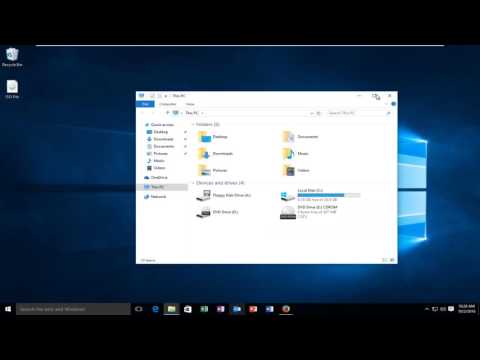
Playback starts YouTube’s embedded player (privacy-enhanced mode).
How To Rename A Hard Drive In Windows 7/8/10
ChannelMDTechVideosDescription from the creator
This tutorial will show you how to rename a hard drive (or drive label) in Windows 10.
In Windows, every drive and storage device uses a friendly name that helps you identify it. For instance, the drive that holds your Windows operating system is called Local Disk , while a USB memory stick will have no name or it will use the default name of Removable Disk. Although Windows sets default names for every drive, you might want to customize the drives from your computer so that you can recognize them more easily. In this tutorial we will show different ways in which you can rename any drive in Windows.
NOTE: The following methods work for renaming hard disk drives, removable hard drives, USB memory sticks and flash drives. They do not work for optical drives like Blu-ray drives or CD/DVD drive. All the instructions shared in this guide apply to Windows 10, Windows 8.1 and Windows 7.
This tutorial will apply for computers, laptops, desktops,and tablets running the Windows 10, Windows 8/8.1, Windows 7 operating systems.Works for all major computer manufactures (Dell, HP, Acer, Asus, Toshiba, Lenovo, Samsung).
In Windows, every drive and storage device uses a friendly name that helps you identify it. For instance, the drive that holds your Windows operating system is called Local Disk , while a USB memory stick will have no name or it will use the default name of Removable Disk. Although Windows sets default names for every drive, you might want to customize the drives from your computer so that you can recognize them more easily. In this tutorial we will show different ways in which you can rename any drive in Windows.
NOTE: The following methods work for renaming hard disk drives, removable hard drives, USB memory sticks and flash drives. They do not work for optical drives like Blu-ray drives or CD/DVD drive. All the instructions shared in this guide apply to Windows 10, Windows 8.1 and Windows 7.
This tutorial will apply for computers, laptops, desktops,and tablets running the Windows 10, Windows 8/8.1, Windows 7 operating systems.Works for all major computer manufactures (Dell, HP, Acer, Asus, Toshiba, Lenovo, Samsung).
About this tutorial
MDTechVideos published this 1:31 video tutorial on November 10, 2016. It has been watched 69,270 times on YouTube.
- Channel
- MDTechVideos
- Category
- Science & Technology
- Duration
- 1:31
- Published
- November 10, 2016
- Views
- 69,270
- Likes
- 267
Tags
Share
This tutorial in other languages
- FRComment faire pour renommer un disque dur dans Windows 7/8/10
- ESCómo cambiar el nombre de un disco duro en Windows 7/8/10
- PTComo renomear um disco rígido No Windows 7/8/10
- ITCome rinominare un disco rigido in Windows 7/8/10
- DEWie zum Umbenennen einer Festplatte in Windows 7/8/10
- NLHoe om de naam van een harde schijf in Windows 7/8/10
- RUКак переименовать жесткий диск в Windows, 7/8/10
- PLJak zmienić nazwę dysku twardego w systemie Windows 08/07/10
- JAどのようにするには名前の変更AのハードドライブにWindows 7/8/10
- ARكيفية إعادة تسمية القرص الصلب في نظام التشغيل Windows 7/8/10
- HIकैसे करने के लिए का नाम बदलें एक हार्ड ड्राइव में विंडोज 7/8/10
- IDCara Rename A Hard Drive Pada Windows 7/8/10